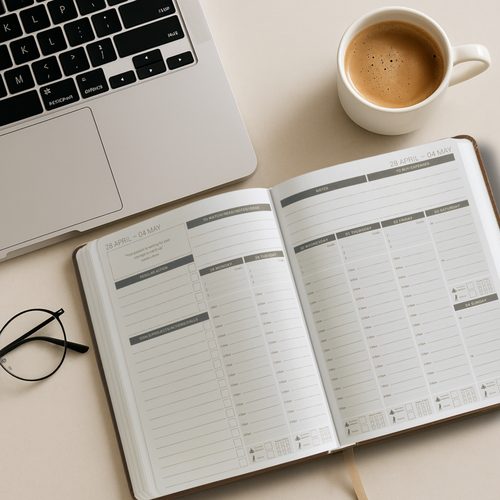
How to Start a Business While Working a 9 to 5

How to Start a Business While Working a 9 to 5

Quitting your job to start a business sounds bold. It also sounds like one of the fastest ways to put yourself under financial pressure and make terrible decisions.

The smarter move? Keep your job. Build alongside it. Let your salary fund your business while you figure out what works, what doesn’t, and whether this thing has legs.

Millions of successful businesses were started exactly this way — evenings, weekends, lunch breaks. You don’t need eight hours a day. You need one or two focused hours, used consistently.

This guide shows you how to build a real business around a full-time job without burning out or staying stuck. If you’re starting from zero, read the full guide first: How to Start a Business with No Money.

Why You Shouldn’t Quit Your Job (Yet)

Best Planner for Onyx Boox in 2026 | Complete Guide

Best Planner for Onyx Boox in 2026 | Complete Guide

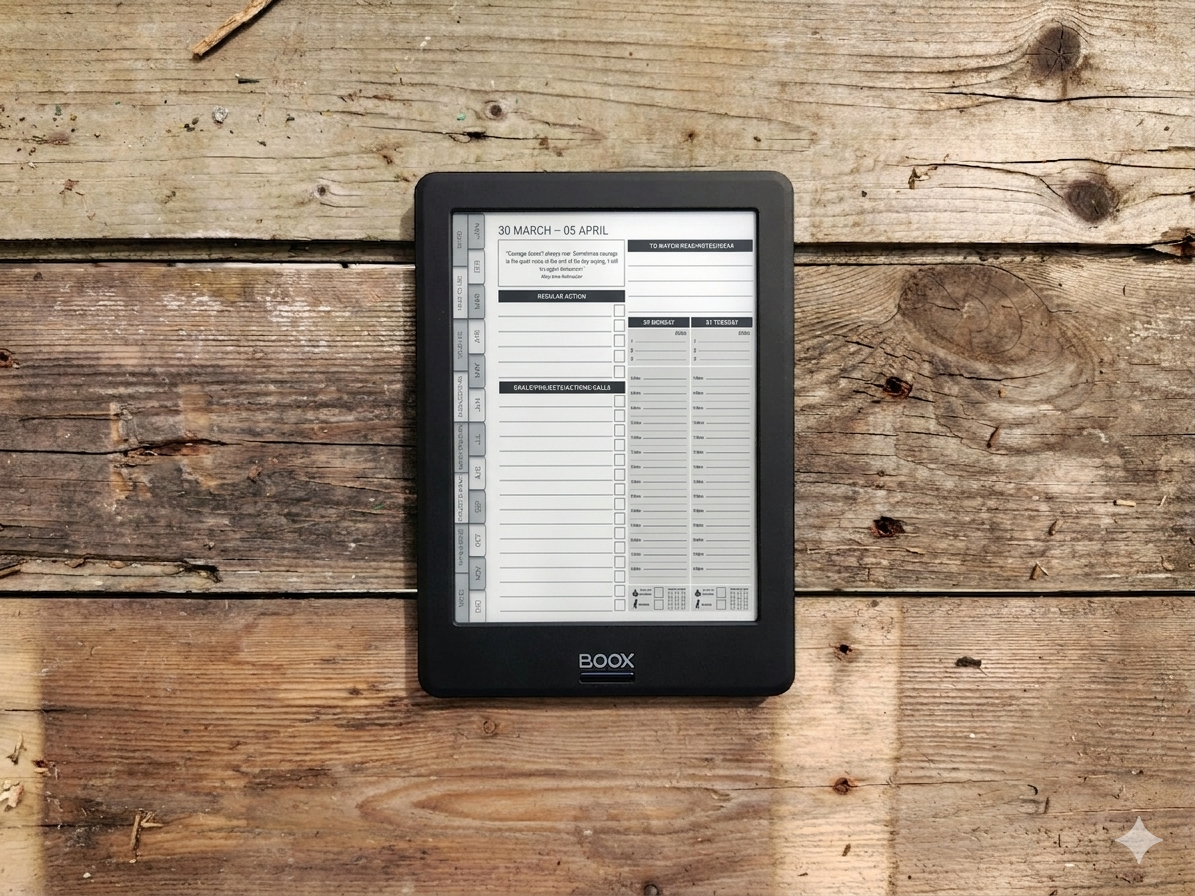
If you’ve bought an Onyx Boox and you’re looking for a planner that actually works on it, you’ve probably already discovered that most digital planners aren’t designed for e-ink devices.

They’re built for iPads. Bright colours, tiny text, layouts that look beautiful on a retina screen but become unreadable on e-ink. Hyperlinks that don’t work properly. Pages that are too cluttered for stylus writing.

Finding the right planner for Onyx Boox means knowing what to look for — and what to avoid. This guide breaks down what makes a good Boox planner, compares the main options, and helps you pick the right one for how you actually work.

How to Get Your First Customer Without Spending Money | Beginner Guide

How to Get Your First Customer Without Spending Money | Beginner Guide

You’ve got an idea. Maybe you’ve even got an offer. But nobody has paid you yet.

This is the hardest part of starting a business, not because it’s complicated, but because it feels uncomfortable. Reaching out to people, putting yourself out there, asking for money. Most people avoid it by hiding behind “setup work” building a website, tweaking a logo, posting on social media to an audience of zero.

None of that gets you a customer. Conversations do.

This guide will show you exactly how to land your first paying customer without spending a penny on ads, funnels, or marketing tools. If you’re starting from scratch, make sure you’ve also read the full guide on how to start a business with no money for the complete step-by-step process.

Business Ideas You Can Start with No Money | 21 Realistic Ideas

Business Ideas You Can Start with No Money | 21 Realistic Ideas

Business Ideas You Can Start with No Money

You don’t need savings, stock, or a business loan to get started. Some of the most successful businesses in the world began with nothing more than a skill and an internet connection.

But most “business ideas” lists are full of nonsense. Dropshipping. Print-on-demand. “Passive income” schemes that require months of unpaid work before you earn a penny.

This isn’t that kind of list.

Every idea below is something you can start today, with no upfront costs, no inventory, and no special equipment. They’re all service-based or skill-based — because when you have no money, the fastest path to income is selling what you already know how to do.

If you want the full step-by-step process for going from zero to your first paying customer, start with our complete guide: How to Start a Business with No Money.

What Makes a Good Zero-Cost Business Idea?

Before we get into the ideas, here’s how to filter them. A good no-money business idea should tick three boxes:

  • You can deliver it using skills you already have (or can learn quickly)

  • You can find customers without spending on ads

  • You can get paid before you need to invest anything

If an idea requires you to buy stock, pay for software, or spend weeks building something before anyone pays you — it’s not a no-money idea. It’s a low-money idea, and that’s a different thing entirely.

How to Use Onyx Boox for Business Planning (Step-by-Step Guide)

How to Use Onyx Boox for Business Planning (Step-by-Step Guide)

Most people buy an Onyx Boox and use it for reading. Maybe some note-taking. But they never turn it into what it could be — a focused, distraction-free planning system for running their business.

That’s a missed opportunity. An Onyx Boox is one of the best devices for business planning if you set it up properly. No notifications pulling your attention. No apps competing for your focus. Just you, your stylus, and a clean screen designed for thinking and writing.

This guide shows you how to turn your Onyx Boox into a complete business planning system — from initial setup to a daily and weekly workflow that actually keeps you on track.

How to Start a Business with No Money (Step-by-Step Guide)

How to Start a Business with No Money (Step-by-Step Guide)

Most people think starting a business requires money. A loan. Savings. Maybe investors.

It doesn’t.

But it does require a completely different approach — and this is where most people get it wrong. They spend months building a website, designing a logo, and planning a launch for something nobody has asked for. Then they wonder why nothing happens.

If you don’t have money, you can’t afford to build first. You have to sell first.

This guide will show you how to start a business with no money — step by step — in a way that’s realistic, practical, and actually works. No motivational fluff. No ‘passive income’ fantasy. Just a clear path from where you are to your first paying customer and beyond.

Time Blocking for Entrepreneurs: The Complete Guide

Time Blocking for Entrepreneurs: The Complete Guide

Time blocking is the simplest productivity technique that most entrepreneurs know about but few actually use consistently. The concept is straightforward: instead of working from a to-do list and hoping you get to everything, you assign specific tasks to specific times in your day.

That sounds basic, but for entrepreneurs — who typically juggle client work, marketing, admin, finances, and strategy all in the same day — it is transformative. Time blocking turns a chaotic day of reactive task-switching into a structured day where your most important work gets protected time.

If you have ever ended a week feeling like you were busy every day but did not actually accomplish anything meaningful, why you feel busy but not productive explains the psychology behind that feeling, and time blocking is the primary solution.

What is time blocking?

Time blocking means dividing your day into blocks of time, each dedicated to a specific task or type of work. Instead of a to-do list that says "write blog post, reply to emails, update accounts, call supplier," your calendar says:

Best Business Planners for 2026: Compared and Reviewed

Best Business Planners for 2026: Compared and Reviewed

Best Business Planners for 2026: Compared and Reviewed

If you are running a small business, a good planner is not a luxury — it is an operational tool. The right business planner helps you set goals, manage projects, plan your week, and track whether you are actually making progress or just staying busy.

But with hundreds of planners on the market, choosing one can feel overwhelming. Most are designed for general productivity or personal life management, and they miss the things business owners actually need: project planning, financial tracking, client management, and a system that connects your big-picture goals to what you do each day.

Best Digital Business Planner for Notion with Financial Tracking

Best Digital Business Planner for Notion with Financial Tracking

Notion has become the go-to workspace for entrepreneurs who want everything in one place. But finding a Notion template that actually works as a proper business planner — with financial tracking built in, not just task lists — is harder than it should be.

Most Notion planner templates fall into two camps: either they're beautifully designed but surface-level (basically a digital to-do list), or they're powerful but so complex that you spend more time managing the system than running your business.

If you're new to Notion, start with our simple, practical guide to using Notion for business before choosing a template.

How to Stay Focused on Your Business Goals Every Day

How to Stay Focused on Your Business Goals Every Day

You set goals at the start of the year with real intention. By February, they're buried under emails, client requests, and whatever felt urgent that morning. Sound familiar?

The problem isn't discipline. It's systems. Without a daily mechanism to reconnect you with your goals, they fade into the background. Here's how to build a system that keeps them front and centre.

The Best Tools for a Small Business Startup to Plan Their First Year

The Best Tools for a Small Business Startup to Plan Their First Year

Your first year in business is equal parts exciting and overwhelming. There are a thousand things competing for your attention, and without the right tools to bring structure to the chaos, it's easy to spend months being busy without making real progress.

The good news: you don't need dozens of apps and subscriptions. You need a lean, intentional toolkit that covers planning, finances, and daily execution. While you're setting up, make sure to avoid these 30 common small business mistakes.

Here's what actually works.

How to Implement a Consistent Weekly Review Process for Your Business

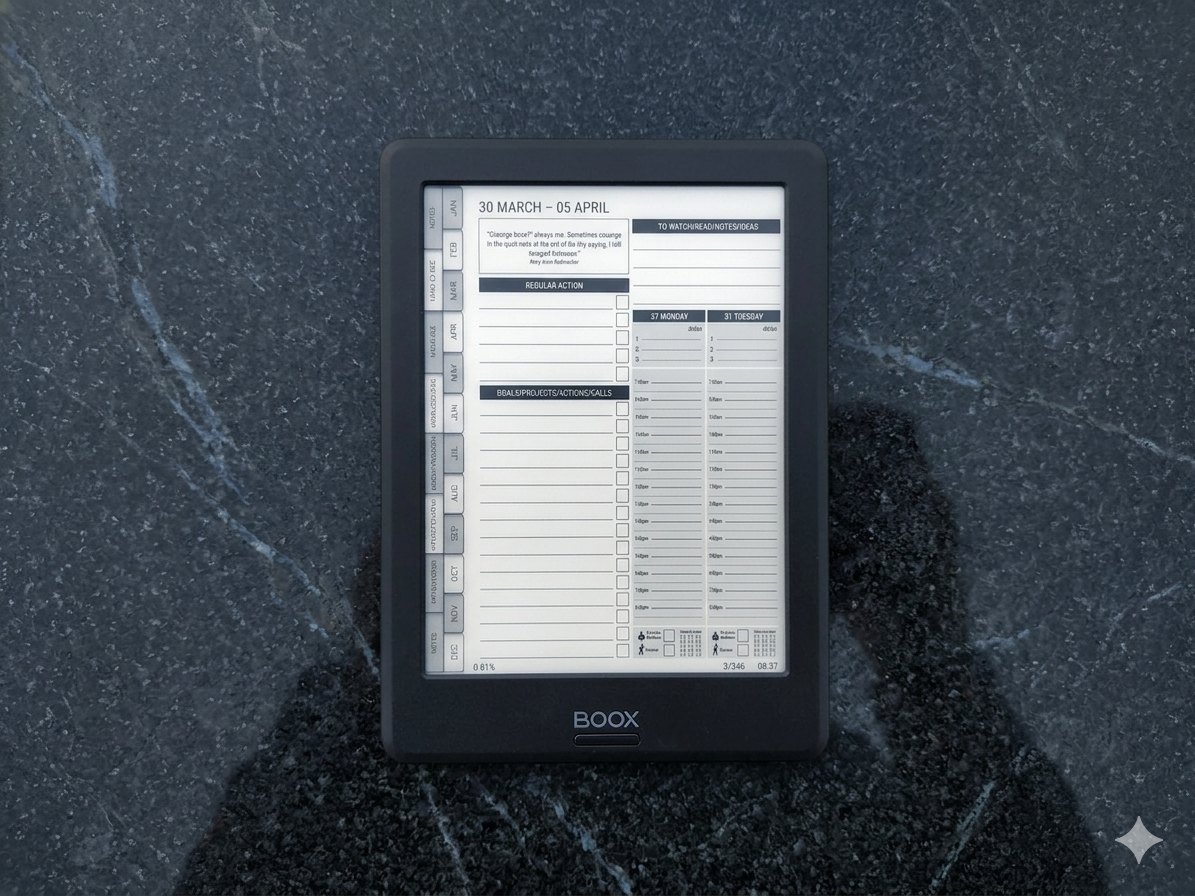
Free business planner sample

Free Business Planner

Weekly layout · instant download

Download Free

Most business owners know they should review their week. Very few actually do it consistently.

The result is predictable. You spend the week reacting to what feels urgent, lose sight of your bigger goals, and finish the week wondering what you actually achieved. A review is part of a wider 5-step business operating system — but it works powerfully on its own too.

A weekly review fixes that.

It gives you a structured moment to step back, see what is really going on, and reset your direction before another week disappears.

What a Weekly Review Actually Is

A weekly review is not admin. It is not something you rush through or skip when you are busy.

It is a 20 to 30 minute reset point where you reflect on what happened, clear what is unfinished, and decide what actually matters next.

If you do this properly, your week stops running you. You start running your week.

What to Review Each Week

Keep it simple. The most effective reviews focus on five things.

1. Wins and progress

What actually moved forward this week? What did you complete? Most people skip this, but it matters. Progress builds momentum.

2. Challenges and lessons

What did not go to plan? What slowed you down? This is not about being hard on yourself. It is about adjusting.

3. Incomplete tasks

What is still open? Decide clearly: carry it forward, delegate it, or drop it. Do not let it sit in your head.

4. Goal alignment

Are your actions actually moving your business forward, or just keeping you busy? If your week did not connect to your bigger goals, something needs to change.

5. Next week's priorities

Choose your top 3 to 5 priorities. Not everything. Just what will actually move things forward. Then time-block those priorities into your calendar or planner.

We also have a free weekly review template you can use to get started.

How to Make It Consistent

This is where most people fail.

They treat the weekly review like something they will "fit in." You will not.

Schedule it. Put it in your calendar like a meeting you cannot miss. Friday afternoon or Sunday evening works best for most people.

Start smaller than you think. If 30 minutes feels like too much, start with 10 minutes. Answer just three questions: What worked? What did not? What matters next? Build from there.

You can also get planning reminders through the free MY PA App to help you stay on track.

Tools That Support a Weekly Review

You can do a weekly review with nothing more than a blank notebook, but purpose-built tools make it easier to stay consistent. Look for a system that includes dedicated review prompts, space for both reflection and forward planning, and a connection between your weekly actions and your bigger goals.

Digital options like Notion templates work well if you prefer typing. For those who think better with pen and paper, a structured business planner with built-in weekly review pages can be ideal.

The MY PA Business Planner, for example, includes a weekly review layout that walks you through reflection, goal alignment, and priority setting in a single spread — designed specifically for entrepreneurs who want structure without complexity.

A Simple Weekly Review Template

If you want to start today, use this framework:

1. List 3 wins from this week (even small ones count).
2. Note 1 to 2 challenges and what you would change.
3. Review your goals — are you on track?
4. Choose your top 3 priorities for next week.
5. Time-block those priorities into your calendar or planner.

The key is not perfection — it is consistency. A quick, honest review done every week will transform how you run your business within a month.

Want to go deeper? Download our free high-performance productivity guide. And browse our full library of productivity and planning resources.




Free business planner sample

Free Business Planner

Weekly layout · instant download

Download Free

The 7 Systems Every Entrepreneur Needs (And Why You Feel Stuck Without Them)

The 7 Systems Every Entrepreneur Needs (And Why You Feel Stuck Without Them)

You worked all day.

Replied to messages. Updated a spreadsheet. Bounced between three apps. Wrote half a plan. Chased an invoice. Started something you forgot to finish yesterday.

And at the end of it?

You couldn't tell someone what you actually moved forward.

That's not a work ethic problem. That's a systems problem.

iPad vs Kindle Scribe vs Remarkable: Which Device Is Best for ADHD Planning?

iPad vs Kindle Scribe vs Remarkable: Which Device Is Best for ADHD Planning?

If you’ve decided to move to digital planning with ADHD, the next decision is not just which planner to use, but which device to use it on.

This matters more than people expect.

The right device can make planning feel simple and focused. The wrong one can quietly pull your attention away every time you open it.

Each option, iPad, Kindle Scribe, and Remarkable, has genuine strengths. But they also have trade-offs, especially for ADHD.

The best choice depends less on features, and more on how your brain responds to distraction, structure, and environment.

ADHD Business Planning: How to Run a Business When Focus Is a Daily Challenge

ADHD Business Planning: How to Run a Business When Focus Is a Daily Challenge

Running a business with ADHD is a very specific kind of challenge.

You have ideas, often more than you can keep up with. You have energy, sometimes intense bursts of it. You have the drive to build something for yourself. But the consistent execution that business requires, the steady progress, the follow-through, can feel much harder than it should.

Monday’s priorities get replaced by Tuesday’s new idea. By Wednesday you are halfway through something else. By Friday, you have started five things and finished none.

That pattern is frustrating, but it is also common.

This is not because you are not capable of running a business. It is because most business systems are not built for how ADHD brains operate.

Best ADHD Planner for Remarkable 2 & Paper Pro (Distraction-Free Planning)

Best ADHD Planner for Remarkable 2 & Paper Pro (Distraction-Free Planning)

Best ADHD Planner for Remarkable 2 & Paper Pro

If you have ADHD and you’ve chosen a Remarkable, you’ve already made a strong decision.

The device is designed to remove distraction. No notifications, no apps pulling your attention, no switching between tabs. Just a paper-like screen and a stylus. For many people with ADHD, that environment alone makes it easier to focus and stay present.

But the device itself is only part of the solution.

The built-in templates on Remarkable are very basic. Mostly blank pages, simple lines, or grids. They give you space to write, but they do not give you structure. And for ADHD, structure is what turns intention into action.

Without that structure, it is easy to open the device, write a few notes, and still feel unclear about what to do next.

ADHD Time Blocking: How to Structure Your Day Without the Overwhelm

ADHD Time Blocking: How to Structure Your Day Without the Overwhelm

Time blocking is one of the most recommended productivity strategies for ADHD, and also one of the hardest to actually stick to.

On paper, it sounds simple. You assign tasks to specific time slots and follow the plan. But in reality, ADHD makes this much harder than it seems. Estimating how long things will take is often inaccurate. Unexpected tasks appear and derail the day. And a rigid schedule can quickly start to feel restrictive rather than helpful.

So it is not surprising that a lot of people try time blocking once, feel like they failed, and abandon it completely.

Best ADHD Planner for Kindle Scribe: Why E-Ink Is Perfect for ADHD

Best ADHD Planner for Kindle Scribe: Why E-Ink Is Perfect for ADHD

If you have ADHD and you’ve tried using a digital planner on an iPad or phone, you’ll know how quickly distractions take over. You open your planner, see a notification, check it “just for a second,” and before you know it, you’re 40 minutes deep into something completely unrelated.

This isn’t a lack of discipline. It’s how your brain responds to stimulation.

The Kindle Scribe removes that problem entirely.

No browser. No apps. No notifications. No temptation. Just an e-ink screen, a stylus, and your planner.

For ADHD brains, that simplicity isn’t a limitation. It’s exactly what makes it work.

How to Use a Planner When You Have ADHD (Without Abandoning It by Week 2)

How to Use a Planner When You Have ADHD (Without Abandoning It by Week 2)

You’ve probably bought planners before. Maybe several. They started out great — fresh pages, good intentions, the satisfying feeling of writing out your first week. Then somewhere around week two, the planner started living under a pile of papers and you felt guilty every time you saw it.

This isn’t a failure of willpower. It’s a mismatch between how most planners work and how ADHD brains work. Here’s how to actually make planning stick.