Digital Tools

How to Use Notion for Business (A Simple, Practical Guide)

How to Use Notion for Business (A Simple, Practical Guide)

Running a business means juggling ideas, tasks, clients, finances, and plans, often all in your head. Notion can be a powerful tool for organising your business, but only if it’s set up in a way that actually supports how you work.

This guide explains how to use Notion for business in a simple, practical way, without overcomplicating things or turning it into another system you never check.

Why Use Notion for Business?

Notion works well for business because it brings everything into one place. Instead of using separate tools for planning, notes, projects, and tracking, Notion lets you connect everything together.

Used properly, Notion can help you:

How to Plan Using reMarkable 2 and reMarkable Paper Pro (Step-by-Step Guide)

How to Plan Using reMarkable 2 and reMarkable Paper Pro (Step-by-Step Guide)

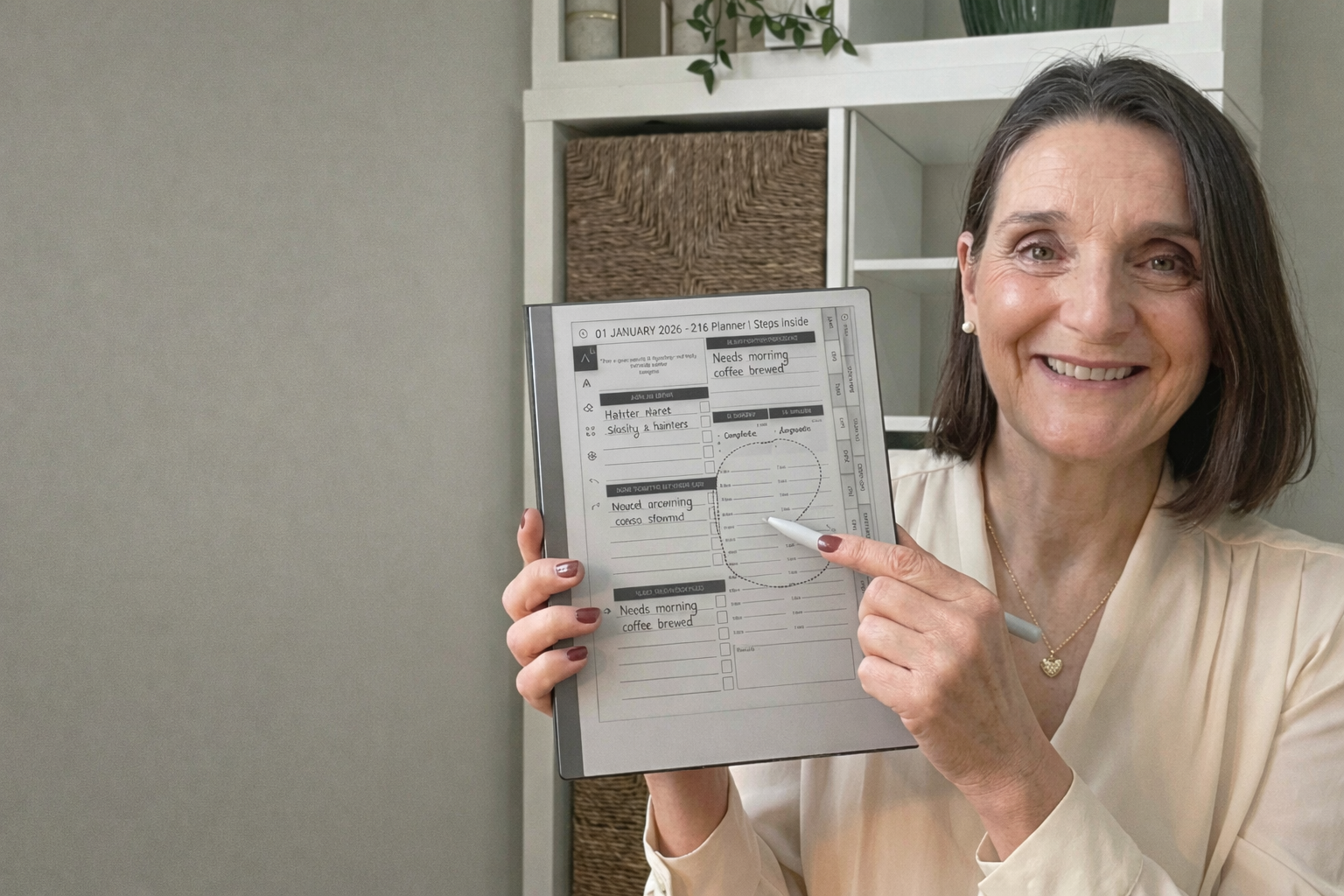
reMarkable 2 and reMarkable Paper Pro are designed for people who think better when they write things down. They remove distractions and give you space to plan, think, and focus.

But once you move beyond basic note-taking, many people run into the same issue. They have lots of notes, ideas scattered across notebooks, and no clear structure for their days or weeks.

Planning on reMarkable works best when you use a clear, repeatable planning system, rather than starting from blank pages every time.

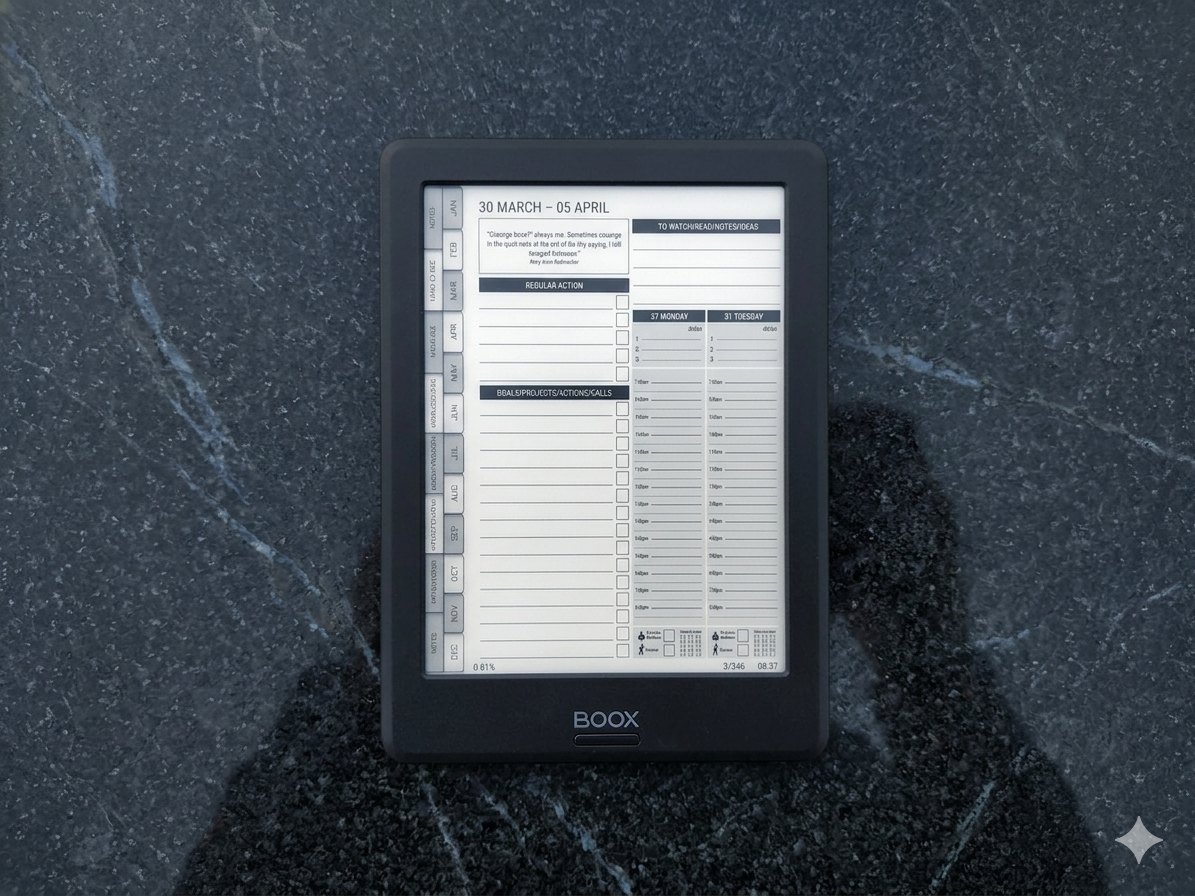
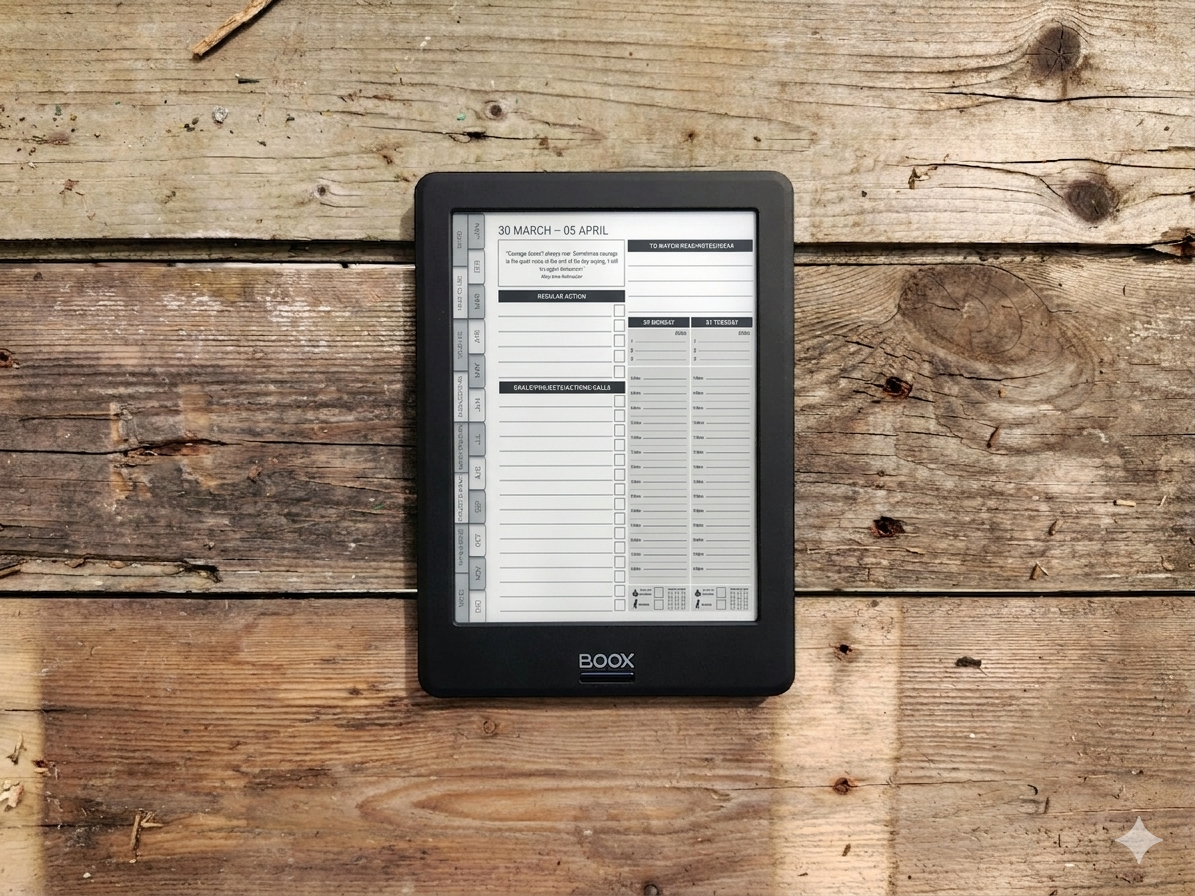
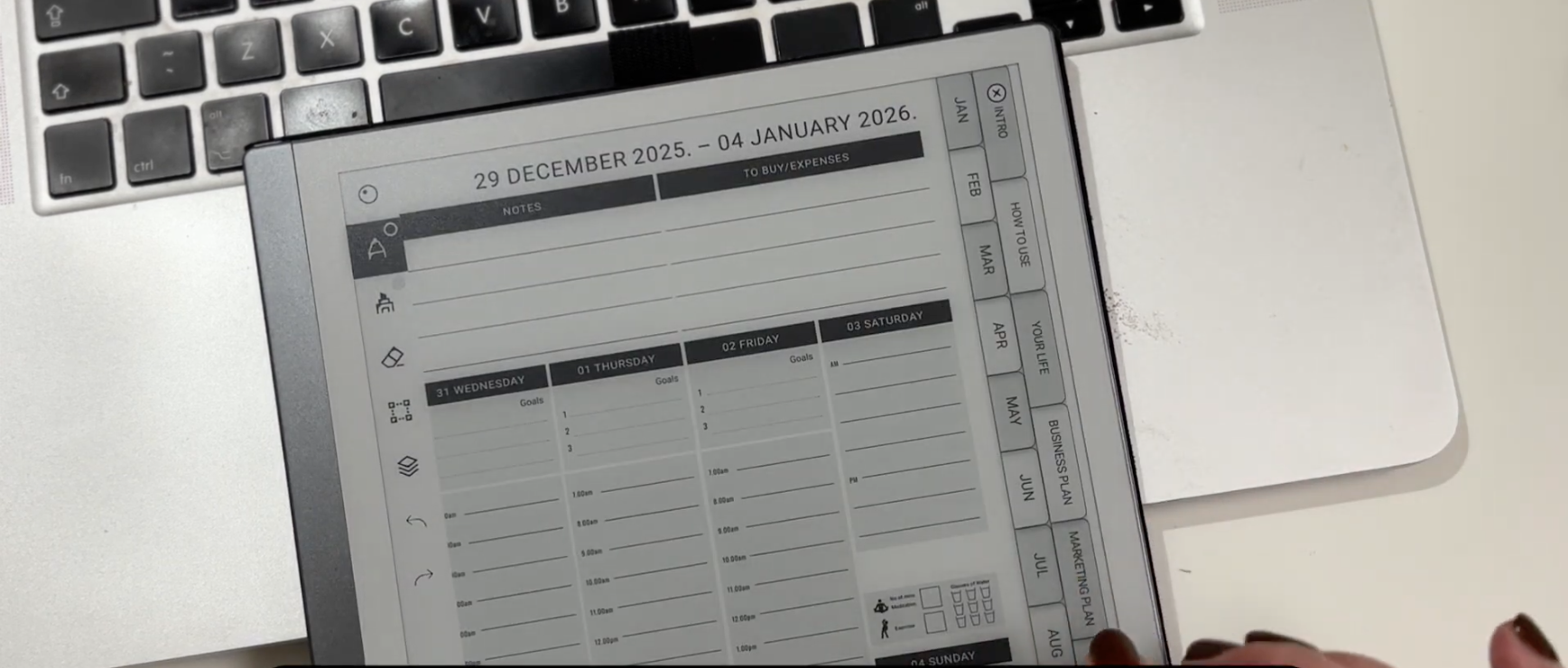
Some people choose to use a structured digital planner PDF, such as the MY PA planner, which is designed to work well on paper-like tablets including reMarkable 2 and reMarkable Paper Pro.

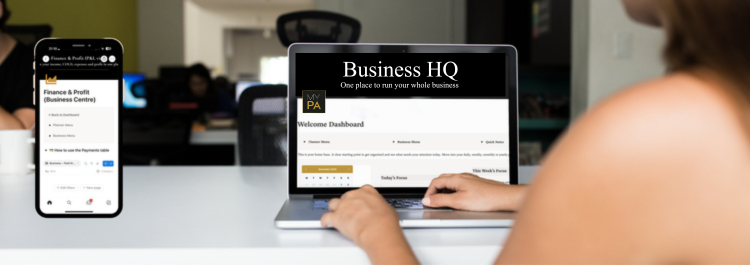
How to Use Notion to Run Your Small Business (Simple 2026 Guide)

Notion has become one of the most powerful tools for small business owners. Instead of juggling ten different apps, Notion lets you keep your plans, clients, projects, finances and ideas together in one clear workspace.

But the question most people have is:
“How do I actually use Notion to run my business?”

This guide breaks it down in the simplest possible way.

You’ll learn the exact structure most small business owners need, the types of pages to create, and how to keep everything organised without getting overwhelmed.

Why Notion Works So Well for Small Business Owners

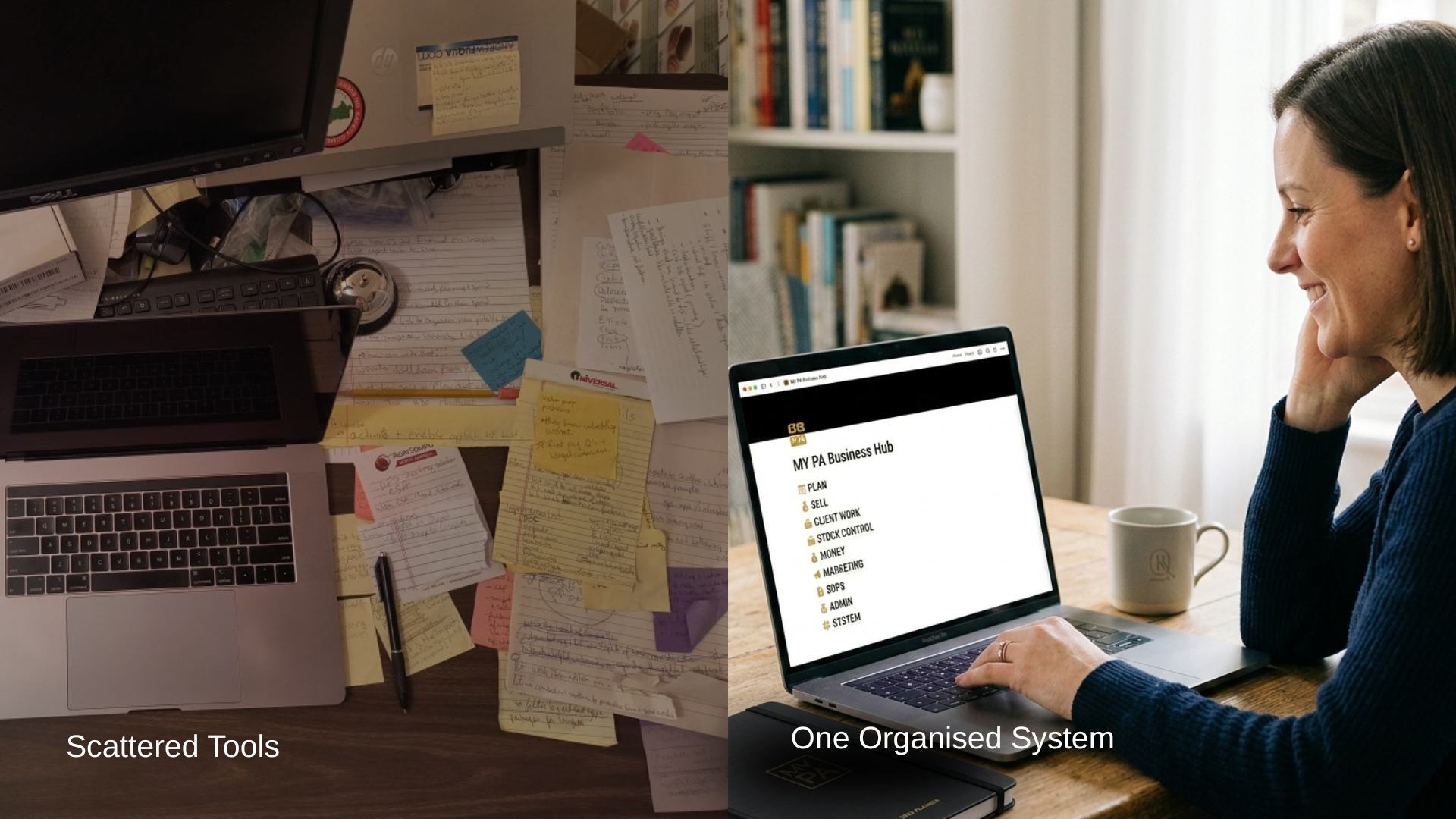
Most small business owners don’t have a software problem — they have a scattered problem.

They use:

  • Asana for tasks

  • Google Docs for notes

  • Stripe for payments

  • Apple Notes for ideas

  • Spreadsheets for finance

  • Trello for projects

  • A diary for planning

  • Their head for reminders

Notion replaces all of that by creating one organised home for:

  • planning

  • clients

  • content

  • sales

  • delivery

  • finances

  • documents

  • ideas

When everything lives together, you stop firefighting and actually feel in control.

1. Start With a Simple Weekly Planning System

Before you move your entire business into Notion, begin with the basics:

  • your week

  • your goals

  • your priorities

  • your recurring tasks

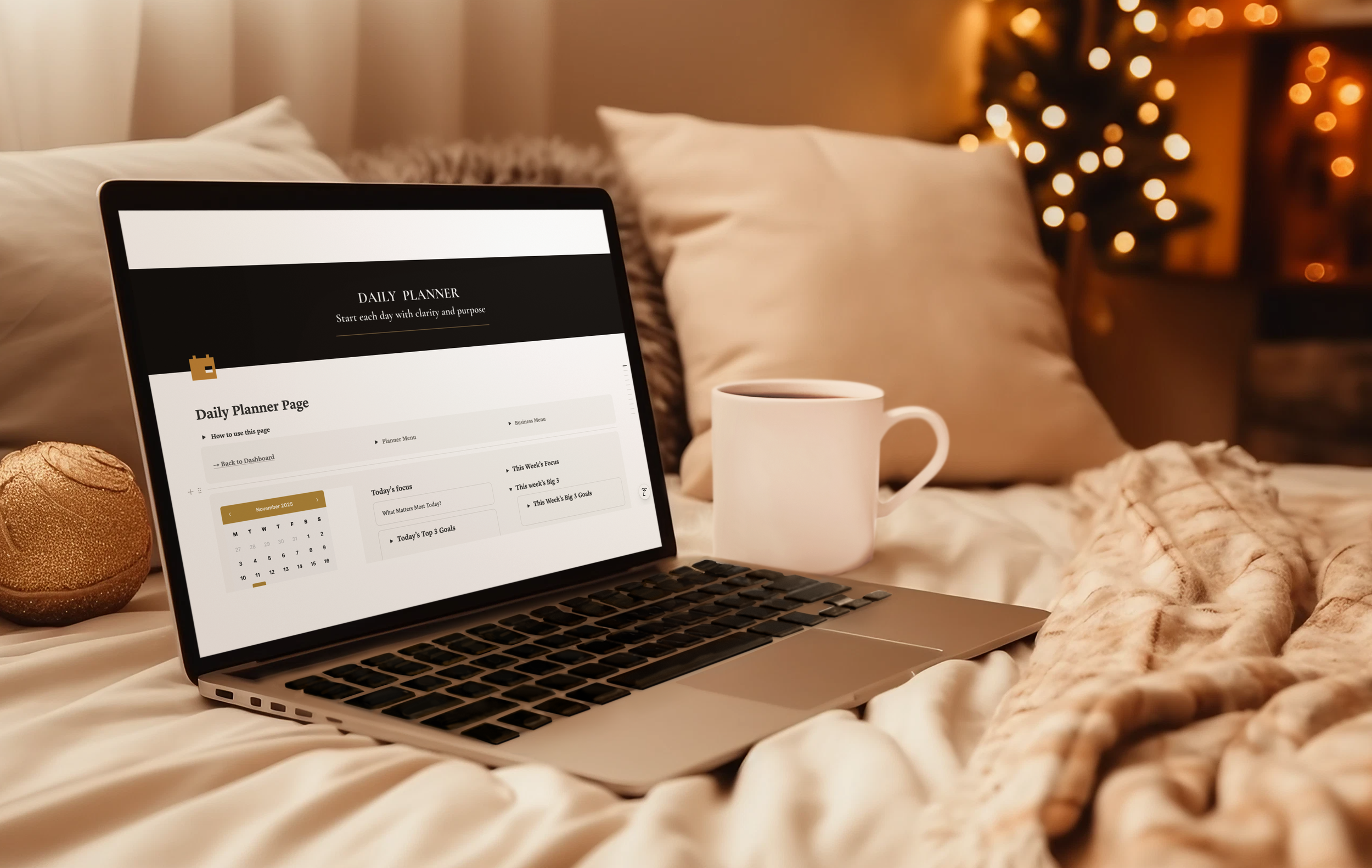
A weekly planning dashboard should include:

  • This Week’s Focus

  • This Week’s Goals

  • Today’s Tasks

  • Quick Notes

  • Calendar

  • Regular Actions (recurring tasks)

This alone will change how your business feels day to day.

👉 Internal link:
Link “weekly planning dashboard” to MY PA Notion Planner workspace.

2. Add a Task + Project System

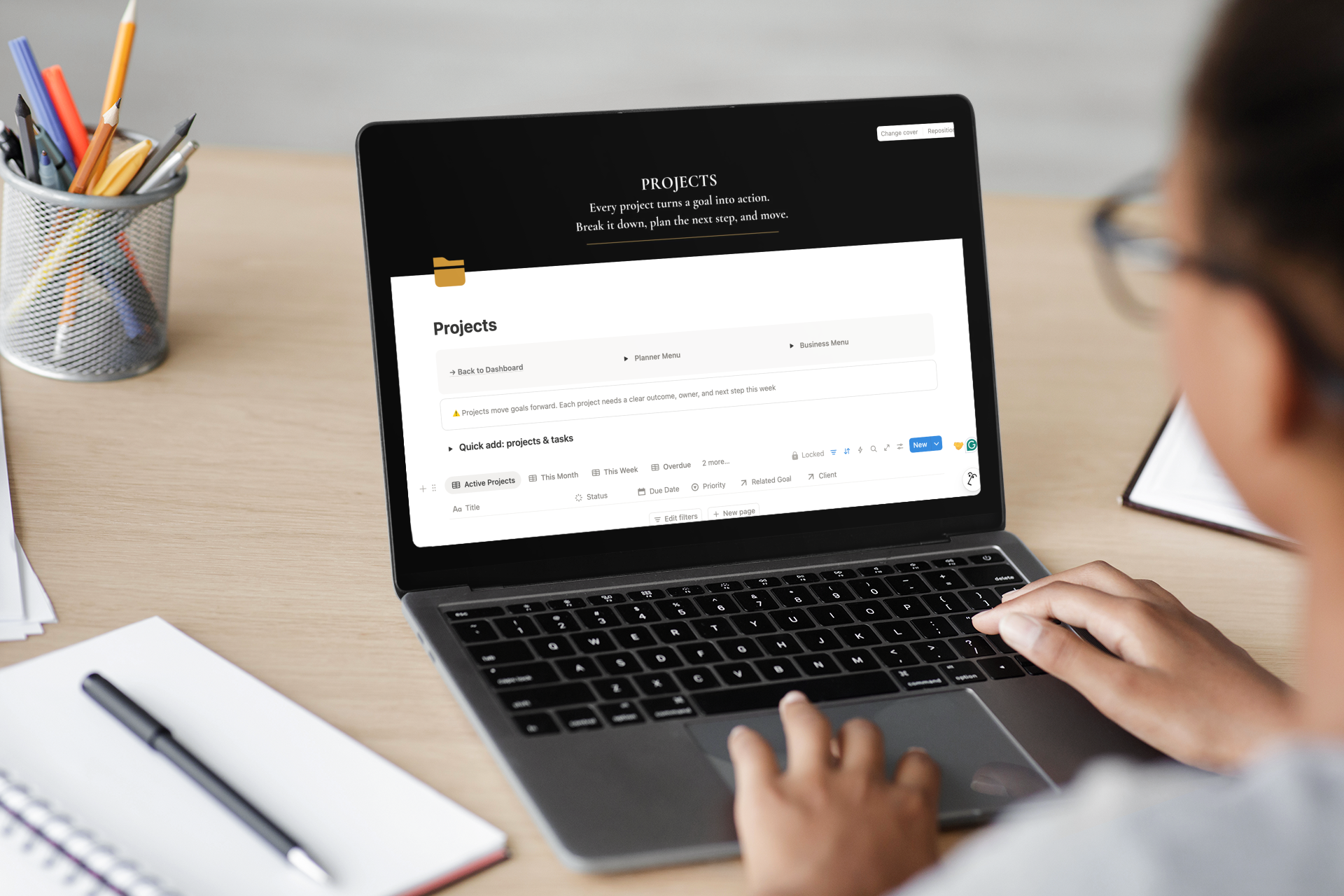
Once your planning is in place, add a simple project dashboard:

  • Project name

  • Status (Not Started / Active / Waiting / Done)

  • Linked tasks

  • Due date

  • Notes

  • Linked client (optional)

Then create a task database with:

  • Task name

  • Due date

  • Priority

  • Status

  • Linked project

  • Linked client

This keeps everything clean and traceable instead of scattered.

3. Set Up a CRM for Leads + Clients

A CRM doesn’t have to be complex.
A simple Notion CRM helps you track:

  • enquiries

  • leads

  • follow-ups

  • client details

  • meetings

  • notes

  • what stage they’re at

This alone can prevent thousands in lost revenue each year.

👉 Internal link:
Make “simple Notion CRM” link to MY PA Business Hub for Notion.

4. Track Your Finance in One View

Small business owners often avoid finances because the tools feel too “big”.

Notion gives you a simple snapshot of:

  • upcoming payments

  • invoices

  • expenses

  • subscriptions

  • income

  • profit

  • categories

  • due dates

You don’t need accounting software for everyday visibility.
You just need one organised weekly view.

👉 Internal link:
Link “track your finance” to MY PA Business Hub Notion template.

5. Add a Content Planner for Consistency

A content planner helps you stay consistent without burning out.

Create:

  • ideas list

  • platforms (IG, TikTok, Pinterest, email)

  • weekly or monthly posting schedule

  • hooks

  • captions

  • brand messaging

  • assets

This makes content creation structured instead of overwhelming.

6. Bring Everything Together into One Business Hub

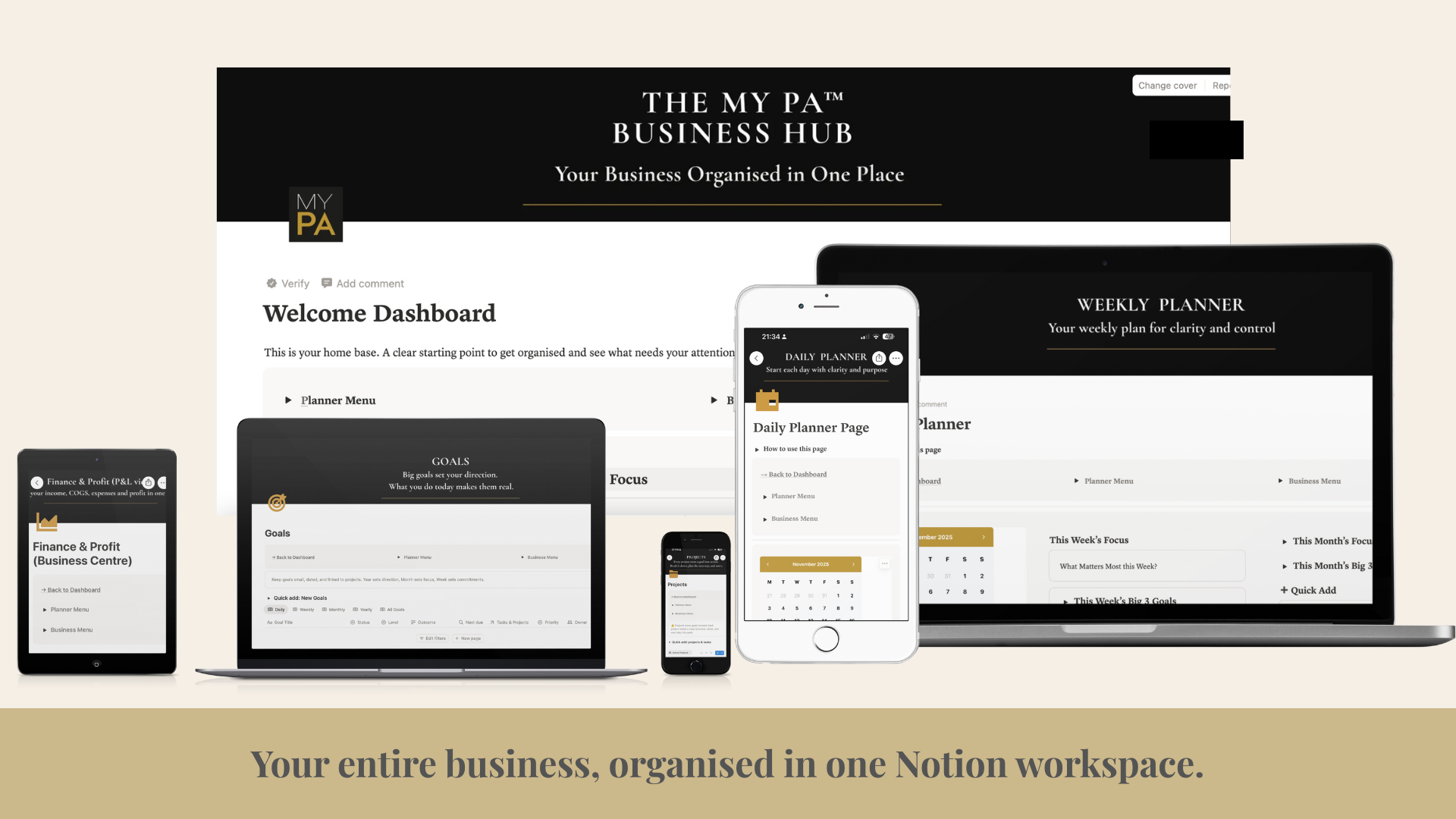
Once you have planning, projects, CRM and finances in place, you can combine them into a full Notion business hub.

A real business hub includes:

  • Weekly dashboard

  • Planner (daily → yearly)

  • Projects + tasks

  • CRM

  • Finance

  • Content

  • Documents

  • Systems

  • Meetings

  • Recurring actions

  • Quick add buttons

This is what turns Notion from “just a note-taking tool” into a business operating system.

👉 Internal link:
Make “full Notion business hub” link to MY PA Business Hub for Notion.

What’s the Best Way to Start?

If you’re at the beginning of using Notion for business:

✔ Start with the MY PA Notion Planner workspace

This is ideal if your main challenge is:

  • clarity

  • weekly structure

  • getting things done

  • reducing overwhelm

✔ When you’re ready, upgrade to the MY PA Business Hub for Notion

This is perfect if you want:

  • planning + CRM

  • clients + projects

  • finance + content

  • everything in one place

  • one calm, clear weekly view

Final Thoughts

You don’t need complicated systems.
You need a clean, calm, organised structure that helps you focus on the work that actually grows your business.

Notion is powerful, but only when it’s set up properly.
A good template creates a foundation you can build on for years.
What Is Notion And How I Use It Alongside My Planner To Run A Calm, Organised Business

What Is Notion And How I Use It Alongside My Planner To Run A Calm, Organised Business

There is something grounding about opening a fresh planner.
Clean pages. A calm layout. A feeling that you are finally taking control again.

For many people, including me, pen and paper is where clarity happens.
It slows your mind down just enough to think properly.
It cuts out the noise.
It gives your week shape.

This is why MY PA has always been a paper first system.
The physical planner is the core, the anchor, the place you come back to no matter how overwhelmed life gets.

If you’re curious, this is the exact Notion workspace I use myself.

The Best Notion Business Templates for Small Business Owners in 2026 (Complete Guide)

Running a small business means juggling ideas, clients, planning, content, invoices, projects, goals… and often doing it all alone.
Notion is one of the best tools to bring everything together, but only if you use the right templates.

In this guide, you’ll discover the best Notion business templates for 2026, what each one is for, and how to choose the right system depending on where you are in your business.

Whether you’re a solopreneur, coach, creator, freelancer, or small business owner, this guide will help you build a business that feels clear, organised, and calm.

Why Notion Templates Matter (Especially for Small Business Owners)

Most business owners don’t struggle because they’re disorganised.
They struggle because their business is scattered:

  • projects in one app

  • content in another

  • invoices in a spreadsheet

  • ideas in Apple Notes

  • reminders in their head

Notion fixes this — if you have the right setup.

A good template helps you:

  • See your entire business in one place

  • Reduce overwhelm

  • Focus on what matters this week

  • Stay consistent with clients

  • Track money clearly

  • Grow without chaos

The templates below are the ones that genuinely help you run your business like a business, not a guessing game.

1. Notion Planner Templates

A Notion planner is perfect if you want structure in your week without bringing the whole business into Notion yet.

The best planner templates include:

  • daily, weekly, monthly and yearly planning

  • goals linked to projects

  • weekly focus

  • a content planner

  • space for ideas and notes

Who this is for:
Early-stage founders, creators, solopreneurs, or anyone who wants clarity without managing clients or finances in Notion.

👉 MY PA Planner Workspace

2. Notion Project Management Templates

If you work with clients or deliver services, you need a simple way to see:

  • what’s active

  • what’s overdue

  • what’s waiting for the client

  • what’s coming next

The best project templates include:

  • task timelines

  • status tracking

  • links to clients

  • priority views

  • “this week” views

  • notes and deliverables

This keeps delivery clean and stops things slipping through the cracks.

3. Notion CRM (Client Management) Templates

A CRM doesn’t need to be complicated.
You just need a simple way to track:

  • enquiries

  • leads

  • follow-ups

  • client status

  • meetings

  • notes

Most small business owners lose money because they forget to follow up.
The right template fixes this.

👉 Internal link here:
Link to MY PA Business Hub page (this is where the CRM lives).

4. Notion Finance Templates

Your finances don’t need to be complicated. The best templates include:

  • income tracking

  • expenses

  • subscriptions

  • invoices

  • upcoming payments

  • simple profit view

  • due dates

A good Notion finance system won’t replace accounting software,
but it will help you stay in control week by week.

👉 MY PA Business FInance Hub

5. Notion Content Planner Templates

If you create content, this is a must.
Look for:

  • ideas list

  • posts by platform

  • schedule for the week

  • brand assets

  • messaging

  • hooks and captions

  • launch timelines

The key is consistency — a good content planner helps you show up without burning out.

6. Notion Business Hub Templates

This is the template for business owners who want everything in one organised system.

A real Business Hub should include:

  • Planner (daily, weekly, monthly, yearly)

  • Projects

  • Tasks

  • Goals

  • Content

  • Leads & CRM

  • Client delivery

  • Finance

  • Systems

  • Documents

  • Recurring actions

  • A dashboard that shows “This Week” clearly

Most templates only do one piece.
A Business Hub brings everything together.

👉 MY PA Business Hub page

Which Notion Template Should You Start With?

Here’s the simplest way to decide:

If you want structure and planning → start with the Planner Workspace

Perfect if your biggest problem is clarity, focus, routines, or weekly planning.

If you want to run the whole business from one calm system → choose the Business Hub

This includes the full planner plus:

  • CRM

  • Projects

  • Finance

  • Delivery

  • Content

  • Documents

  • Systems

It’s for anyone who wants everything in one home inside Notion.

Final Thoughts

Notion can transform how you run your business, but only with the right setup.

You don’t need 20 templates.
You just need one system that brings the important pieces together.

If you want to get organised quickly, the MY PA templates give you:

  • clarity

  • structure

  • weekly focus

  • all your business in one place

  • a calm, clean workspace

Why Running Your Business in Ten Different Places Is Making Everything Harder

Why Running Your Business in Ten Different Places Is Making Everything Harder

Most small business owners are not struggling because they’re disorganised.
They’re struggling because their business is scattered everywhere.

Projects in one app, content in another, money tracked somewhere else, client notes in a notebook, screenshots saved in your photos, reminders in your head.
It feels heavy because it is heavy.

And no one can run a business with clarity like that.

This post is for the business owners who are doing everything alone and carrying all the mental weight. If it feels messy, slow, or overwhelming, there is nothing wrong with you. You just don’t have a central system holding everything for you.

From planner pages to a full business system in Notion: the messy journey behind the MY PA Business Hub

From planner pages to a full business system in Notion: the messy journey behind the MY PA Business Hub

For the last few months, I have basically been in a cave.

On the outside it looked like “planner season as usual.” Orders going out. Emails coming in. Social posts. Real life.

On the inside, every spare hour was being poured into one question:

How do I take what MY PA does on paper and turn it into a proper business system that lives in Notion.

I thought it would be simple. A few databases. Some views. A nice dashboard.

It wasn't simple.

At several points I seriously considered walking away from it and pretending I never started.

The idea that would not leave me alone

For years, I have watched customers use the MY PA Planner as their weekly control centre. They plan their goals, block their time, review their weeks and actually move things forward.

But there was always this gap.

They were still running the business in their head. Leads. Client work. Invoices. Content. Ideas. To-dos. All in mental tabs.