

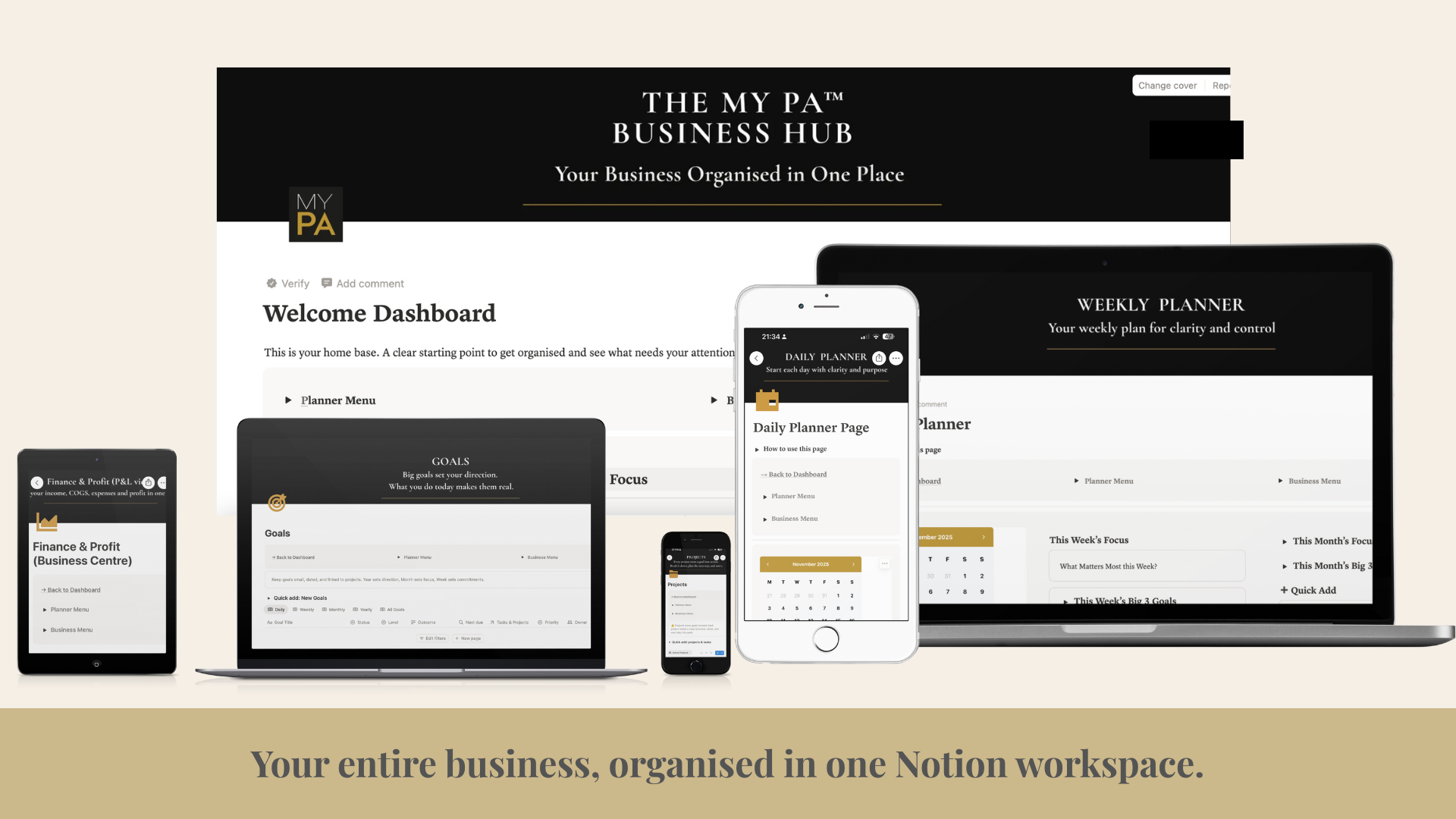
Running a business means juggling ideas, tasks, clients, finances, and plans, often all in your head. Notion can be a powerful tool for organising your business, but only if it’s set up in a way that supports how you actually work.
This guide shows you how to use Notion for business with a simple structure that keeps your planning, projects, and weekly priorities clear.
Why Use Notion for Business?
Notion works well for business because it brings key information into one place. Instead of switching between tools for planning, notes, projects, and tracking, you can connect everything in a single workspace.
Used properly, Notion can help you:
Get clear on what matters this week
Keep projects moving forward
Stay consistent with planning
Reduce mental load from having everything scattered
The key is keeping your system simple and using Notion as a business tool, not a never-ending organisation project.
How to Set Up a Simple Business Dashboard in Notion
The most useful Notion setup starts with one main dashboard. This is your home base, the first page you open, and the place that tells you what matters right now.
Your dashboard should answer three questions at a glance:
What am I working on today?
What are my priorities this week?
What deadlines or tasks are coming up next?
From there, link out to the pages you use most, like:
Goals
Projects
Weekly planning
Notes
Avoid building dozens of pages at the beginning. Start with a dashboard and add only what you actually use.
How to Plan Projects and Weekly Work in Notion
This is where Notion becomes genuinely useful. Most people either stay too high-level (goals with no action), or too detailed (huge task lists with no direction). The bridge is projects.
Step 1: Set clear goals
Create a simple goals page with:
3 to 5 goals for the year
A smaller set of goals for the next quarter
Write them clearly so you can measure progress. If a goal is vague, your planning will be vague.
Step 2: Turn goals into projects
Projects are the actions that move goals forward.
Examples of business projects:
Launch a new offer
Build an email sequence
Improve website conversion
Create content for the next 30 days
Set up financial tracking
In Notion, each project should have:
A clear outcome
A due date (even if flexible)
A short list of next actions
Step 3: Run weekly planning from your projects
Each week, review your active projects and choose what progress looks like for the next 7 days.
A simple weekly setup:
3 weekly priorities (outcomes, not just tasks)
A short list of supporting tasks
Space for admin and reactive work
This stops you from planning random tasks and helps you plan the week based on what will actually move the business forward.
How to Keep Notion Simple (So You Actually Stick With It)
Notion becomes overwhelming when you try to track everything or overbuild your setup.
Keep it simple by following these rules:
Only create databases you will use weekly
Keep pages clean and functional, not decorative
Do a weekly review so the system stays current
If something isn’t helping, remove it
If maintaining the system starts to feel like work, it’s too complicated.
Final Thoughts
Notion is a tool. The goal is not to build the perfect workspace, it’s to build a system you’ll actually use.
A simple Notion setup for business should help you:
Plan priorities clearly
Move projects forward consistently
Stay organised without overwhelm
If you want a ready-made structure instead of building everything from scratch, you can explore systems designed specifically for business planning in Notion, where goals, projects, and weekly planning all work together. MY PA Business Hub in Notion