
reMarkable 2 and reMarkable Paper Pro are designed for people who think better when they write things down. They remove distractions and give you space to plan, think, and focus.
But once you move beyond basic note-taking, many people run into the same issue. They have lots of notes, ideas scattered across notebooks, and no clear structure for their days or weeks.
Planning on reMarkable works best when you use a clear, repeatable planning system, rather than starting from blank pages every time.
Some people choose to use a structured digital planner PDF, such as the MY PA planner, which is designed to work well on paper-like tablets including reMarkable 2 and reMarkable Paper Pro.
Start With a Simple Planning Structure
One of the most common mistakes people make with reMarkable is using it as a collection of random notebooks.
A simple structure works best:
One main planner for goals, weeks, and days
Separate notebooks for notes, ideas, or meetings
A consistent weekly planning routine
This prevents planning from becoming overwhelming or scattered and makes it much easier to return to your plan, even when life gets busy.
Yearly Planning on reMarkable
Start with the bigger picture.
Use your yearly planning pages to:
write your main goals for the year
clarify what you want to focus on
decide what you want to change or simplify
Writing this by hand on reMarkable helps slow your thinking down and makes your goals feel more real. It gives direction before you start filling your days with tasks.
Monthly Planning for Direction
Monthly planning bridges the gap between long-term goals and daily action.
At the start of each month:
choose a small number of priorities
note any key projects or commitments
mark important dates or deadlines
On reMarkable Paper Pro, colour can help separate different areas of life or work. On reMarkable 2, keeping things simple often works best. The aim is clarity, not decoration.
Weekly Planning on reMarkable
Weekly planning is where planning becomes practical.
A good weekly setup allows you to:
decide what matters this week
break goals into manageable actions
see your week clearly at a glance
Many people find that using a structured weekly layout, rather than blank pages, makes planning easier to repeat consistently.
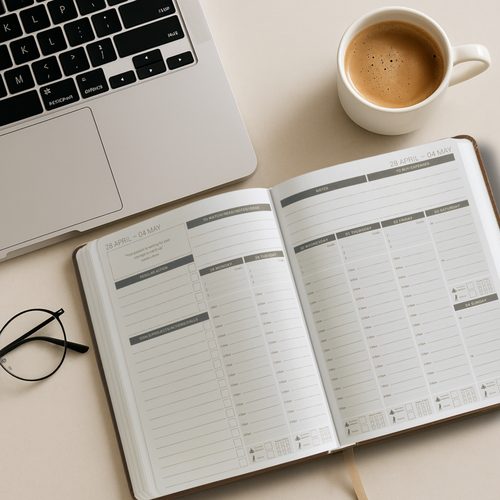
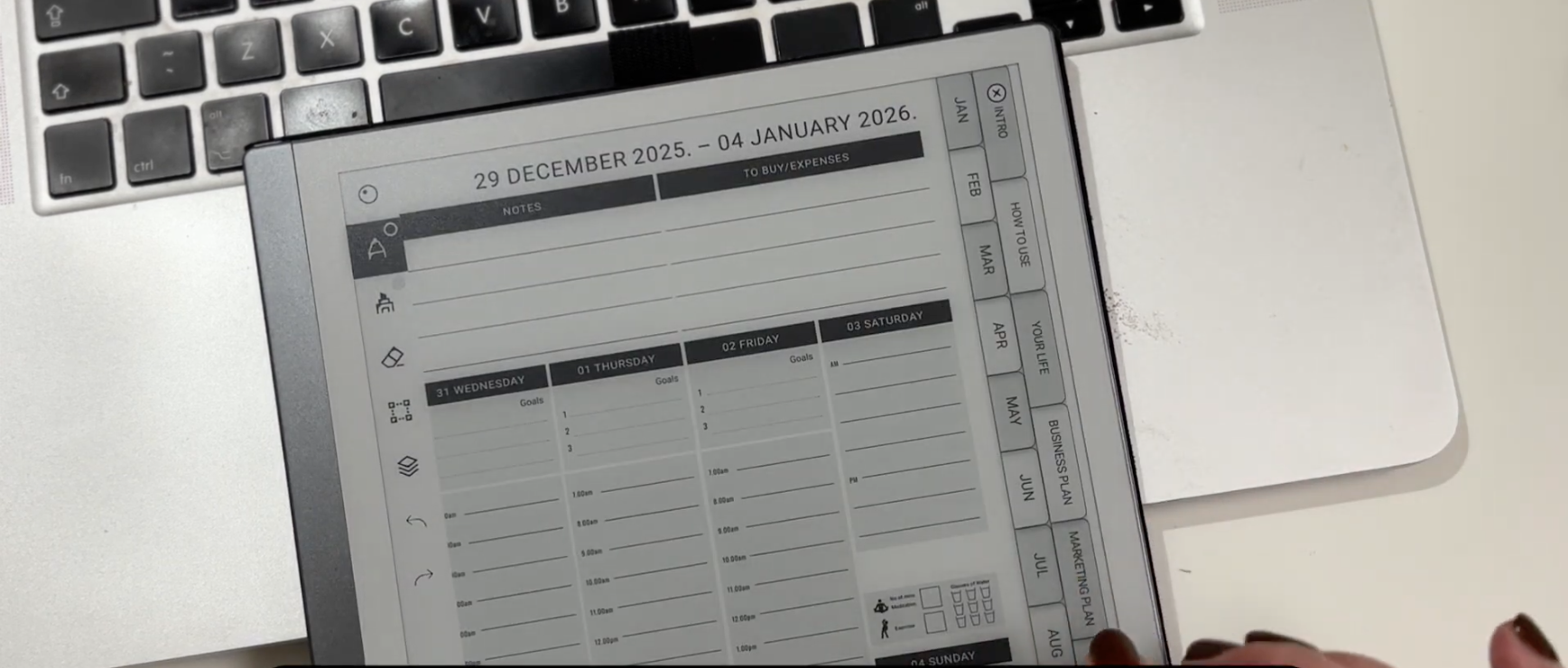
Some planners, such as MY PA, include a weekly format that keeps goals, daily priorities, notes, and Regular Actions visible in one place, which works particularly well on reMarkable’s screen.
If you prefer planning with a structured layout, the digital planner for reMarkable 2 version of MY PA gives you a clear weekly rhythm without starting from blank pages.
If you want a ready-made layout to upload, you can use a digital planner for reMarkable Paper Pro or reMarkable 2 like MY PA.
🎥 Video: How to Upload a Digital Planner to reMarkable 2
Using clickable links inside your planner
If your planner PDF includes clickable tabs or linked sections, you can tap them on reMarkable to jump between areas like yearly, monthly, weekly, and notes. This makes planning much faster than scrolling, especially once your planner fills up.
If you are using MY PA on reMarkable, use the linked tabs to move around the planner quickly, then return to your current week or day without losing your place.
Using Regular Actions to Stay Consistent
Regular Actions are the things that need to happen every week, regardless of how busy things get.
Examples include:
weekly planning and review
admin or finance check-ins
content creation
exercise or personal routines
Instead of rewriting these every day, listing them once each week helps protect time for what actually keeps things running.
This approach works especially well on reMarkable, where you can review your week calmly without distraction.
Daily Planning Without Overwhelm
Daily planning should be simple and realistic.
Each day:
choose a small number of priorities
time-block your day loosely
leave space for notes or changes
The goal is not to fill every hour, but to be intentional with your time.
If something doesn’t get done, rewriting it the next day forces you to decide whether it truly matters.
🔗 OPTIONAL SECOND LINK HERE (ONLY IF YOU WANT 2 TOTAL LINKS)
Anchor text:
Digital planner for reMarkable Paper Pro
or Structured digital planner for reMarkable
(Link to the same MY PA product page.)
How to Upload a Digital Planner to reMarkable
Once you’ve chosen a planning system, uploading it to reMarkable is simple.
Open the reMarkable desktop or mobile app
Upload your planner PDF
Sync your device
Open the planner on your reMarkable
Once uploaded, your planner sits alongside your notebooks and is always ready when you need it.
🎥 Video: How to Upload a Digital Planner to reMarkable
⬆️ EMBED YOUR UPLOAD VIDEO HERE
(This catches high-intent readers who are ready to act.)
Reviewing Your Week
Planning only works if you review.
At the end of each week:
look at what worked
note what didn’t
adjust for the week ahead
Because everything is stored digitally on reMarkable, reviewing past weeks is easy and often very revealing. Over time, planning becomes something that supports you, not something you avoid.
Final Thoughts
reMarkable works best when planning feels structured, calm, and repeatable.
Blank pages are great for notes. Planning benefits from a clear system.
Using a structured planner like MY PA on reMarkable helps turn writing into something intentional and supportive, whether you are planning the year ahead or organising your week.
This guide also applies to the new reMarkable Paper Pure.
Read more about [what’s new in the Paper Pure here].'
View Planners for remarkable 2 and remarkable Paper Pro