

Notion planner: the MY PA planning system in Notion
New: MY PA AI
Talk to your planner like it's your PA.
MY PA has always been your planner. Now it's your PA too. Both MY PA Notion setups work with ChatGPT and Claude. Connect once, then just tell it what's on your mind.
- You: "Here's everything in my head. Prioritise it."
MY PA AI: "Sorted into 7 tasks and 2 ideas. Here's your suggested Top 3." - You: "Add a project: podcast launch in March."
MY PA AI: "Project created with 8 steps, each dated back from launch day." - You: "Plan my week around the school run and the launch."
MY PA AI: "Here's your week, with launch work in your free mornings."
Why it's different: ChatGPT on its own forgets everything. MY PA AI works inside your planner, so it knows your goals, projects and plans. Free plans work. 5 minute setup.
Choose your MY PA Notion setup
Start with the MY PA Planning System (Notion) if you want a clean planning system inside Notion. Choose Business HQ (Notion) if you want one place to run the business, planning plus leads, client work, money, branding, content, documents, and systems. If you start with the MY PA Planning System (Notion), you can upgrade later.
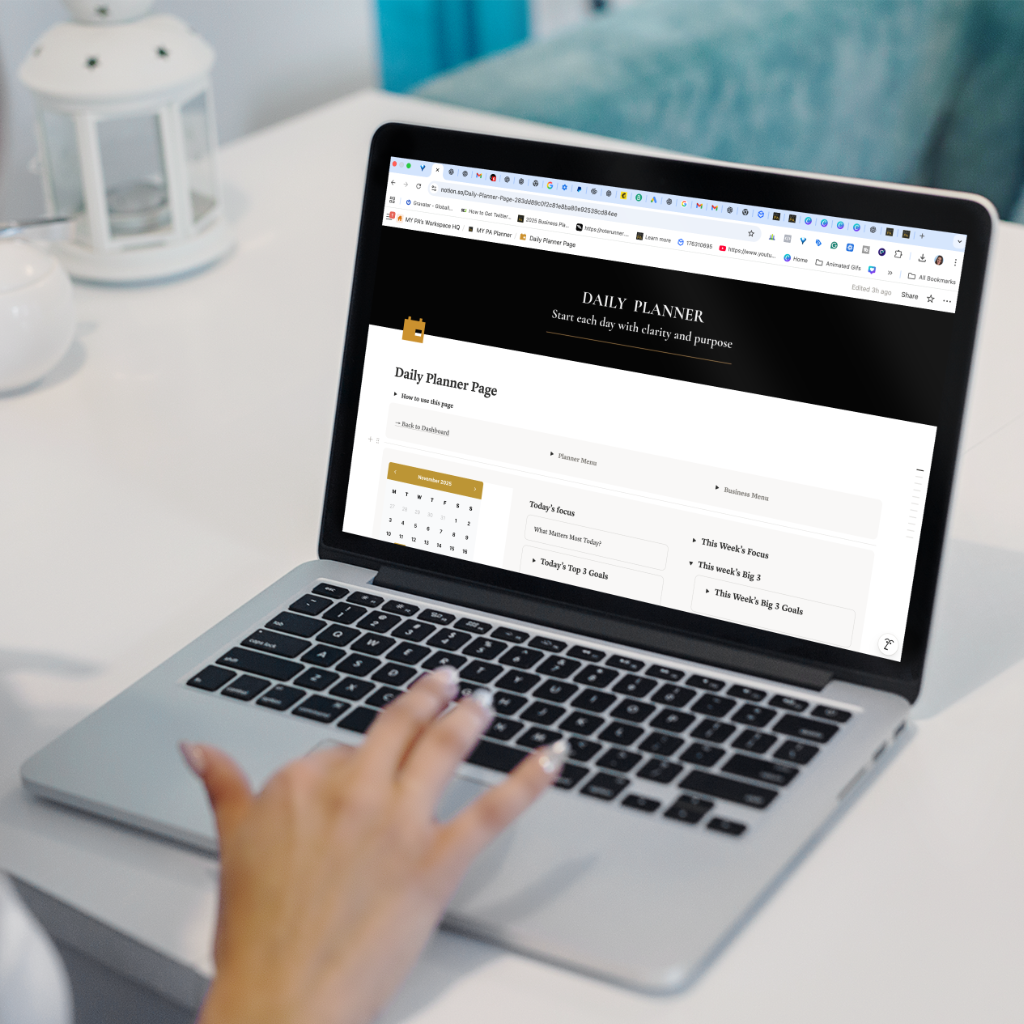
MY PA Planning System (Notion)
Planning systemA complete planning system in Notion so you always know what matters now, without the full business setup yet.
- Daily, weekly, monthly and yearly planning views
- Goals linked to projects and priorities
- Content planning for posts, launches and emails
- Clean dashboard to see your priorities at a glance
- MY PA AI included: talk to your planner like it's your PA

Business HQ (Notion)
Run the businessA complete business control system in Notion. One dashboard to run the day to day of your business, not just your planning.
Fully set up and ready to use, just duplicate and start.
- MY PA AI included: talk to your planner like it's your PA
- Full planning system for goals, projects and priorities
- Leads, contacts and follow ups so nothing slips
- Client work and delivery tracking
- Branding and content planning in one place
- Simple finance tracking for invoices, expenses and payments
- Document and system storage so key info is never lost
- Optional stock control for product based businesses
- Recurring actions that resurface at the right time
Both workspaces are a one time purchase, fully set up, ready to duplicate into your own Notion account, and suitable for solo founders or small teams.
Good to know
Notion planner questions
What is a Notion planner?
A Notion planner is a planning template you duplicate into your own Notion account. The MY PA version gives you daily, weekly, monthly and yearly planning, with goals linked to projects and priorities.
Is it a subscription?
No. Both MY PA Notion setups are a one-time purchase, fully set up and ready to duplicate into your own Notion account.
Which should I choose?
Start with the MY PA Planning System (Notion) if you want a clean planning system. Choose Business HQ (Notion) if you want one place for planning plus leads, client work, money, branding, content, documents and systems.
Can I upgrade later?
Yes, you can upgrade from the Planning System to Business HQ at any time.
Is it suitable for a team?
Yes. Both are suitable for solo founders or small teams.
The Ultimate system for organizing