

Notion has become the go-to workspace for entrepreneurs who want everything in one place. But finding a Notion template that actually works as a proper business planner — with financial tracking built in, not just task lists — is harder than it should be.
Most Notion planner templates fall into two camps: either they're beautifully designed but surface-level (basically a digital to-do list), or they're powerful but so complex that you spend more time managing the system than running your business.
If you're new to Notion, start with our simple, practical guide to using Notion for business before choosing a template.
Here's what to look for, and the options worth considering.
What a Good Notion Business Planner Should Include
At minimum, you want a Notion template that covers these areas — and more importantly, connects them together so they actually work as a system rather than a collection of separate pages.
Goal setting (yearly, monthly, weekly)
This is the foundation. Without structured goals, everything else becomes reactive. A good Notion planner should let you define your yearly direction, break it into monthly milestones, and connect those milestones directly to your weekly priorities. If the goals exist on a page you set up in January and never revisit, the system has already failed.
Project and task management
Your goals create projects. Your projects create tasks. A business planner in Notion needs to handle this chain clearly. You should be able to see which projects are active, what tasks are next, and which goal each project supports — without clicking through five layers of databases to find it.
Weekly and daily planning with time blocking
This is where most Notion templates fall short. They give you a task list but no structured weekly planning view. A proper business planner should offer a weekly layout where you can set priorities, allocate time, and see your week at a glance. Daily planning that connects to the weekly view is even better.
A weekly review system
If there is no review mechanism, the system degrades over time. Tasks pile up, goals drift, and the template becomes another abandoned tool. A built-in weekly review that prompts reflection and helps you set the next week's priorities is what keeps the system alive.
Financial tracking
This is the feature most Notion planners lack entirely. Revenue, expenses, profit margins, cash flow — even at a simple level, having financial visibility alongside your operational planning changes how you make decisions. More on this below.
Content or marketing planning
If you create content or manage your own marketing (which most small business owners do), having a content calendar and marketing planner inside the same system as your goals and finances means everything stays connected. You can see which content supports which goal, rather than posting randomly.
The key is that these elements should be connected. Your goals should link to your projects, your projects should feed your weekly plan, and your finances should be visible alongside your operational planning. Disconnected databases defeat the purpose of using Notion in the first place.
The Problem with Most Notion Templates
There are thousands of Notion templates available, but most share the same limitations when it comes to serious business planning.
They look good but lack depth. Many templates are designed to be visually appealing in screenshots. They have nice icons, clean layouts, and attractive colour schemes. But when you start using them for real business work, they are too thin. There is no weekly review, no financial tracking, no way to connect your goals to your daily actions.
They try to do everything. On the other end of the spectrum, some templates include dozens of databases, views, and pages that take hours to understand. For a solopreneur or small business owner, that complexity is not a feature. It is a barrier. If you spend more time maintaining the system than using it, something is wrong.
They are designed for personal productivity, not business. Many popular Notion templates are excellent for personal task management but lack the business-specific elements you need — things like client management, revenue tracking, project pipelines, and marketing calendars. A personal planner in Notion is not the same as a business planner in Notion.
For a broader look at what is available, see our guide to the best Notion business templates for small business owners.
Options Worth Looking At
MY PA Notion Business Hub
The MY PA Notion Business Hub is a complete business operating system built in Notion. It includes goal setting, project management, weekly planning, content planning, client tracking, and financial tracking — all from one connected dashboard.
It is designed for entrepreneurs and small business owners who want to plan, sell, deliver, and track money in one place. The planning side mirrors the structure of the award-winning MY PA physical planner, so if you're familiar with that system, the Notion version will feel immediately intuitive.
What sets it apart from most Notion templates is that everything is connected. Your yearly goals feed into your monthly planning. Your projects link to your weekly priorities. Your finances sit alongside your operational dashboard so you can see business health at a glance — not buried in a separate spreadsheet you forget to update.
It is ready to use from day one. You duplicate the template, and the structure is already built. No spending weeks customising databases.
MY PA Notion Planner
If you want the planning system without the full business operating features, the MY PA Notion Planner gives you the core: yearly goals, monthly planning, weekly and daily layouts with time blocking, content planning, and a weekly review. It is lighter than the Business Hub but still structured as a connected system.
This is a good option if you already have separate tools for client management or finances and just want the planning piece in Notion.
Other popular options
Thomas Frank's Ultimate Brain is excellent for personal productivity. It handles tasks, notes, and projects well, but it is less tailored to business-specific planning like marketing calendars, client tracking, or financial dashboards.
Notion's own built-in templates are good starting points but typically need significant customisation to work as a full business system. They tend to be modular rather than connected, which means you end up building the links between databases yourself.
August Bradley's PPV (Pillars, Pipelines, Vaults) system is powerful and well-designed, but it has a steep learning curve. It works best for people who enjoy building and maintaining complex Notion setups.
The Financial Tracking Question
Notion is not accounting software, and it should not try to be. You still need proper bookkeeping — whether that is Xero, QuickBooks, Wave, or a good accountant.
But what Notion can do well is give you a high-level financial dashboard. Tracking monthly revenue, expenses, profit margins, and cash flow forecasts. This gives you the visibility you need to make informed decisions without replacing your bookkeeping tools.
The value of having finances inside your business planner — rather than in a separate spreadsheet — is context. When you can see your revenue alongside your goals, your expenses alongside your projects, and your cash flow alongside your content calendar, you make better decisions. You spot problems earlier. You understand which activities are actually driving income.
The best Notion business planners include simple financial databases that you update weekly or monthly, giving you a snapshot of your business health right alongside your goals and projects. See our full library of finance tools for small business for templates and guides.
Notion vs Physical Planner: Do You Need Both?
A common question is whether a Notion business planner replaces a physical planner or works alongside one.
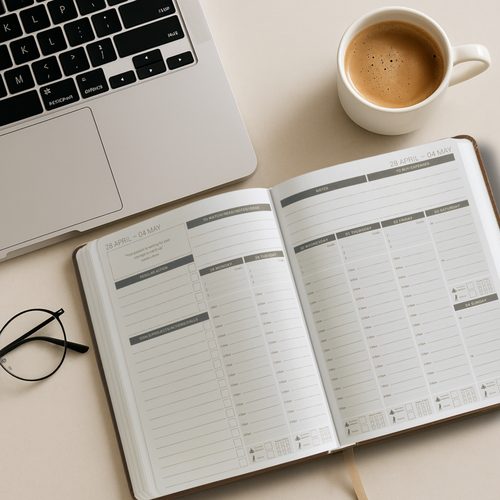
The answer depends on how you think and work. Many entrepreneurs use a hybrid approach: Notion for the bigger picture (goals, projects, clients, finances) and a physical planner for weekly planning and daily focus. There is good evidence that writing by hand improves clarity and memory, which is why some people find physical planners better for the planning and reflection side of business.
The MY PA system is designed to work either way. You can use the Notion Business Hub on its own, the physical planner on its own, or combine them. The structure is consistent across both, so switching between them feels natural rather than duplicative.
How to Choose the Right Template
Ask yourself three questions before choosing a Notion business planner:
Does it connect goals to daily actions? If the goals and the daily planning live in separate, unlinked databases, you will lose the thread within weeks.
Does it include financial visibility? If you have to leave Notion to understand your numbers, you are missing half the picture.
Can you start using it immediately? If a template requires hours of setup and customisation before it's useful, the friction may stop you from ever using it properly.
The best business planner in Notion is not the prettiest or the most complex. It is the one that gives you clarity, keeps everything connected, and is simple enough to maintain week after week.
For the bigger picture on how to organise a small business, start here. And explore all our productivity and planning resources.