
If you’ve bought an Onyx Boox and you’re looking for a planner that actually works on it, you’ve probably already discovered that most digital planners aren’t designed for e-ink devices.
They’re built for iPads. Bright colours, tiny text, layouts that look beautiful on a retina screen but become unreadable on e-ink. Hyperlinks that don’t work properly. Pages that are too cluttered for stylus writing.
Finding the right planner for Onyx Boox means knowing what to look for — and what to avoid. This guide breaks down what makes a good Boox planner, compares the main options, and helps you pick the right one for how you actually work.
What Makes a Good Planner for Onyx Boox?
Not every PDF planner works well on an e-ink device. Before looking at specific options, here’s what to check:
Clean, High-Contrast Layout
E-ink screens display in greyscale. Planners designed with colour-coded sections, pastel backgrounds, or light grey text become hard to read on Onyx Boox. You want bold lines, clear headings, and high contrast between text and background.
Hyperlinked Navigation
A planner with 365+ pages is unusable without hyperlinks. You need clickable tabs that let you jump between months, weeks, and daily pages without scrolling endlessly. This is non-negotiable for any serious planning on Onyx Boox.
Enough Writing Space
Stylus writing takes up more space than typed text. Planners designed for typing on an iPad often have fields that are too small for handwriting on e-ink. Look for planners with generous writing areas, especially on daily and weekly pages.
Designed for Planning, Not Just Note-Taking
There’s a difference between a blank notebook and a planning system. A good planner gives you structure — goal-setting pages, weekly reviews, project breakdowns — not just empty boxes to write in.
PDF Format (Not App-Dependent)
Some planners only work inside specific apps like GoodNotes or Notability, which aren’t available on Onyx Boox. Make sure the planner is a standalone PDF that works in NeoReader or any PDF annotation app.
Your Main Options for Onyx Boox Planning
Option 1: Etsy Templates
There are hundreds of digital planner templates on Etsy, typically priced between £5–15. The problem is that most are designed for iPad and GoodNotes. Common issues on Onyx Boox include:
Colour-dependent layouts that lose meaning in greyscale
Hyperlinks that don’t work in NeoReader
Small writing areas designed for typed input
No real planning structure — just decorated calendars
Some Etsy templates work fine, but you’ll need to check compatibility carefully before buying. Look for sellers who specifically mention e-ink or Onyx Boox compatibility.
Option 2: Free PDF Planners
There are free planners available online, and some work reasonably well on Onyx Boox. The trade-off is usually limited structure — you get basic monthly and weekly layouts but rarely goal-setting, project planning, or review sections.
If you’re just getting started and want to test the concept before investing, a free planner can work as a starting point. But most people outgrow them quickly once they realise the value of a proper system.
Option 3: Built-In Onyx Boox Apps
Onyx Boox comes with a Notes app that lets you create notebooks and write freely. This is great for brainstorming and meeting notes, but it’s not a planning system. There’s no structure, no navigation, no recurring templates.
You can also install third-party apps from the Play Store, but most planning apps are designed for phones or tablets and don’t translate well to e-ink refresh rates and greyscale displays.
Option 4: A Dedicated Business Planner for Onyx Boox
This is where a planner specifically designed for e-ink and business planning makes the biggest difference. The MY PA Digital Business Planner for Onyx Boox is built for exactly this use case:
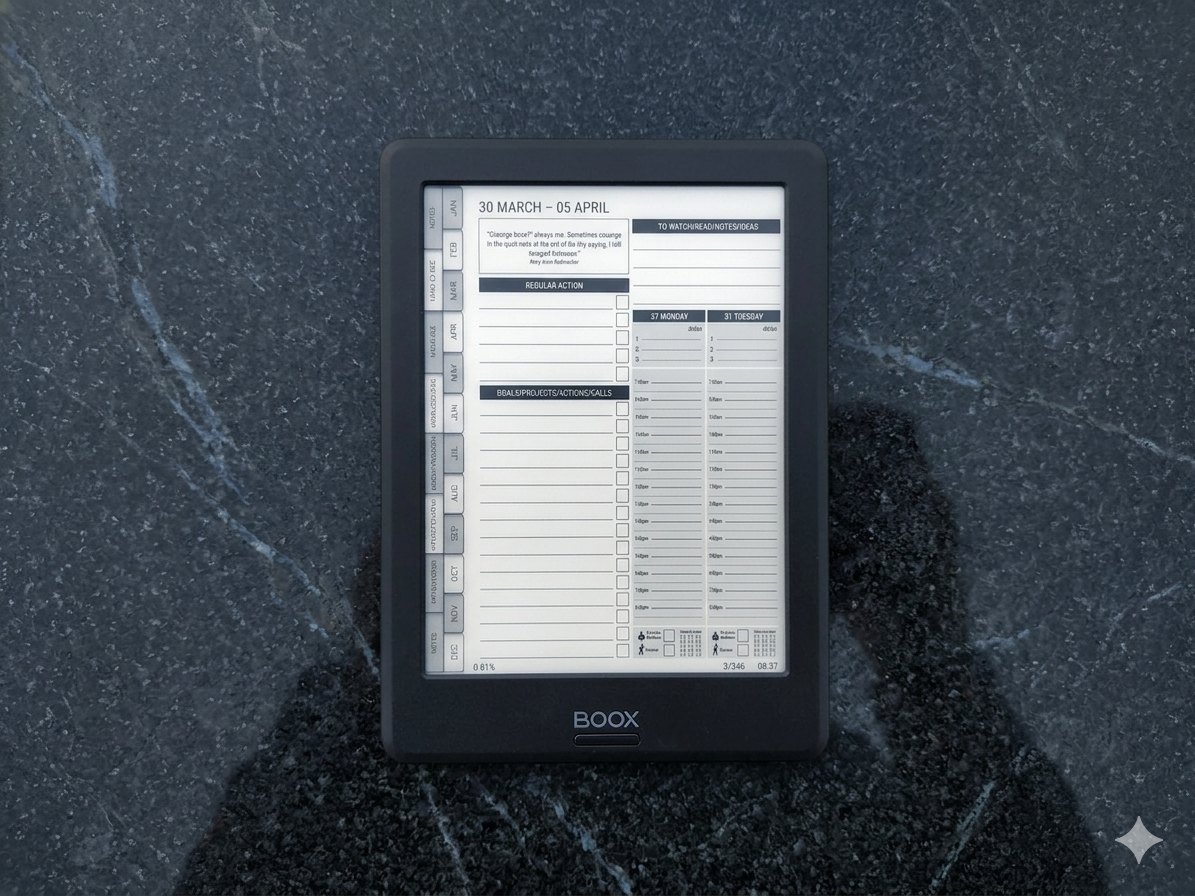
Clean, high-contrast layout designed for greyscale e-ink screens
Fully hyperlinked with file tabs for instant navigation
Monthly goal-setting, weekly planning, and daily time-blocking pages
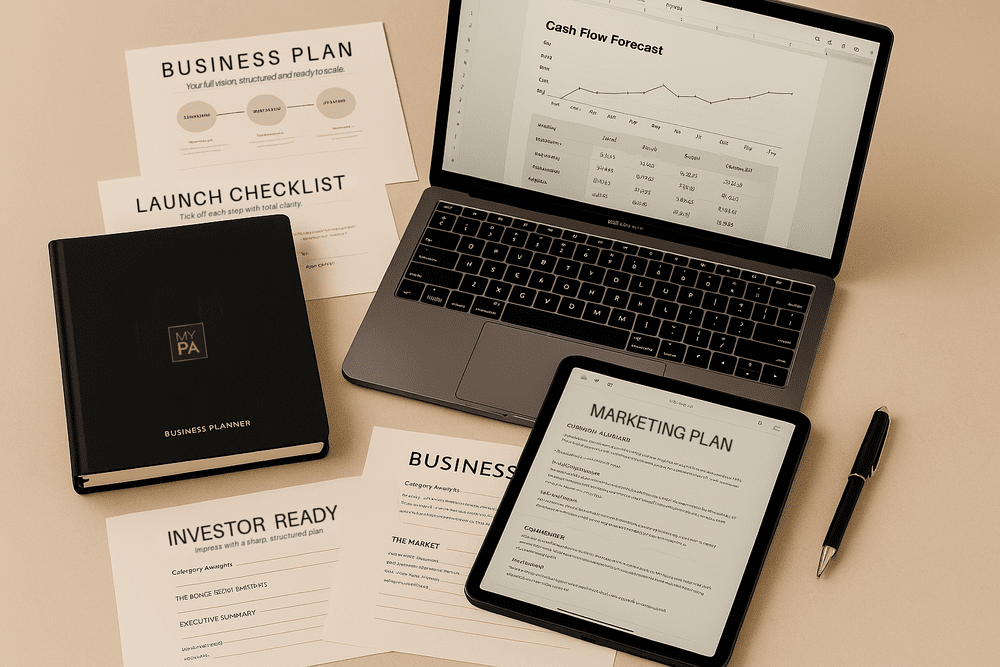
Business and marketing plan sections
Weekly review pages to track progress
Generous writing areas sized for stylus input
Works in NeoReader without needing additional apps
It’s been recognised by The Independent as one of the best planners for life management two years running, and it’s used by thousands of entrepreneurs who want a structured system, not just a digital diary.
PDF Planner vs Apps: Which Is Better on Onyx Boox?
This comes up a lot, so let’s address it directly.
PDF planners win on Onyx Boox. Here’s why:
They work natively in NeoReader — no compatibility issues
Hyperlinked PDFs give you the navigation you need without app dependencies
Writing and annotation feels natural — it’s just a document and a pen
No subscriptions, no accounts, no syncing problems
Apps like Notion, Google Calendar, or Todoist can run on Onyx Boox through Android, but the experience is compromised. E-ink refresh rates make interactive apps feel sluggish, and most app interfaces aren’t designed for greyscale.
For focused planning, a well-designed PDF planner is the right tool for an e-ink device.
What to Look For (Quick Checklist)
Before buying any planner for your Onyx Boox, run through this checklist:
Is it a PDF? (not app-dependent)
Does it have hyperlinked tabs for navigation?
Is the layout clean and high-contrast? (no colour dependency)
Are writing areas large enough for stylus use?
Does it include goal-setting and review pages? (not just calendars)
Does the seller mention e-ink or Onyx Boox compatibility?
If the answer to all six is yes, it’ll work well. If any are no, you’ll likely be frustrated within the first week.
How to Get the Most from Your Planner
Having the right planner is step one. Using it consistently is what actually makes the difference.
We’ve written a full guide on how to use Onyx Boox for business planning that covers the complete setup process, a weekly planning workflow, and the common mistakes to avoid. If you’re new to planning on e-ink, start there.
Once your planner is on your device, the installation guide for Onyx Boox walks you through getting it set up properly in NeoReader with the right writing and navigation settings.
The Best Planner for Onyx Boox Is the One You’ll Actually Use
The device is built for focus. Your planner should match that. Skip the cluttered iPad templates, skip the basic free PDFs, and invest in something that gives you a real planning system — not just decorated pages.
The MY PA Digital Business Planner for Onyx Boox is designed specifically for entrepreneurs who want structure, clarity, and a planning system that works on e-ink. If you’re serious about using your Onyx Boox for more than reading, this is the planner to start with.
For help choosing the right planner, read our guide on the best planner for Onyx Boox. here
Start your business without guessing
The Business Starter Kit gives you the plan, the pricing, and one place to run it, so you always know what to do next.
- Clear plan, step by step from idea to launch.
- Price for profit, know what to charge and what you will make.
- One Business HQ, run your entire business from one place from day one.
Start free, then choose the next step when you are ready.