
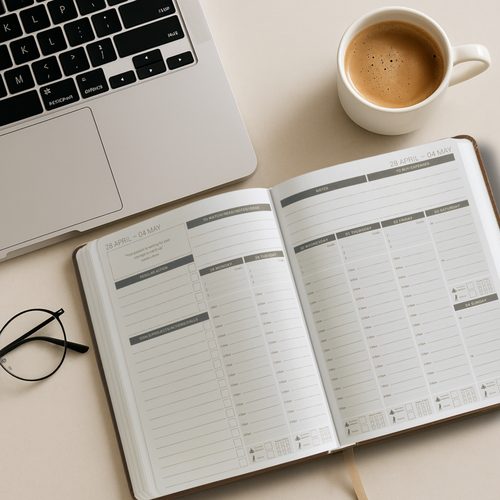
Most people buy an Onyx Boox and use it for reading. Maybe some note-taking. But they never turn it into what it could be — a focused, distraction-free planning system for running their business.
That’s a missed opportunity. An Onyx Boox is one of the best devices for business planning if you set it up properly. No notifications pulling your attention. No apps competing for your focus. Just you, your stylus, and a clean screen designed for thinking and writing.
This guide shows you how to turn your Onyx Boox into a complete business planning system — from initial setup to a daily and weekly workflow that actually keeps you on track.
Why Onyx Boox Works So Well for Business Planning
Before we get into the setup, it’s worth understanding why e-ink devices like the Onyx Boox are genuinely better for planning than a tablet or laptop.
No Distractions
An iPad has emails, social media, YouTube, Slack, and a hundred other things fighting for your attention. An Onyx Boox doesn’t. When you open your planner, that’s all there is. This makes a real difference when you’re trying to think clearly about your goals, priorities, and next steps.
Natural Writing Feel
The e-ink screen and stylus combination feels closer to writing on paper than any glass tablet. If you’re someone who thinks better when writing by hand — and research consistently shows that handwriting improves retention and clarity — this matters.
Battery Life and Simplicity
Onyx Boox devices last days or weeks on a single charge. There’s no scrambling for a charger before your planning session. Pick it up, open your planner, and start writing.
It’s a Dedicated Tool
The biggest advantage is psychological. When you sit down with your Onyx Boox, your brain knows it’s planning time. There’s no context-switching between tabs and apps. That single-purpose focus is what makes the planning actually stick.
What You Need to Get Started
To use your Onyx Boox as a business planning system, you need three things:
An Onyx Boox device (any model with a 10”+ screen works best for planning)
A stylus (comes with most models)
A hyperlinked PDF planner
The planner is the key piece. A basic PDF won’t give you the navigation and structure you need for proper planning. You want a hyperlinked planner with tabs that let you jump between months, weeks, days, and different planning sections without scrolling through hundreds of pages.
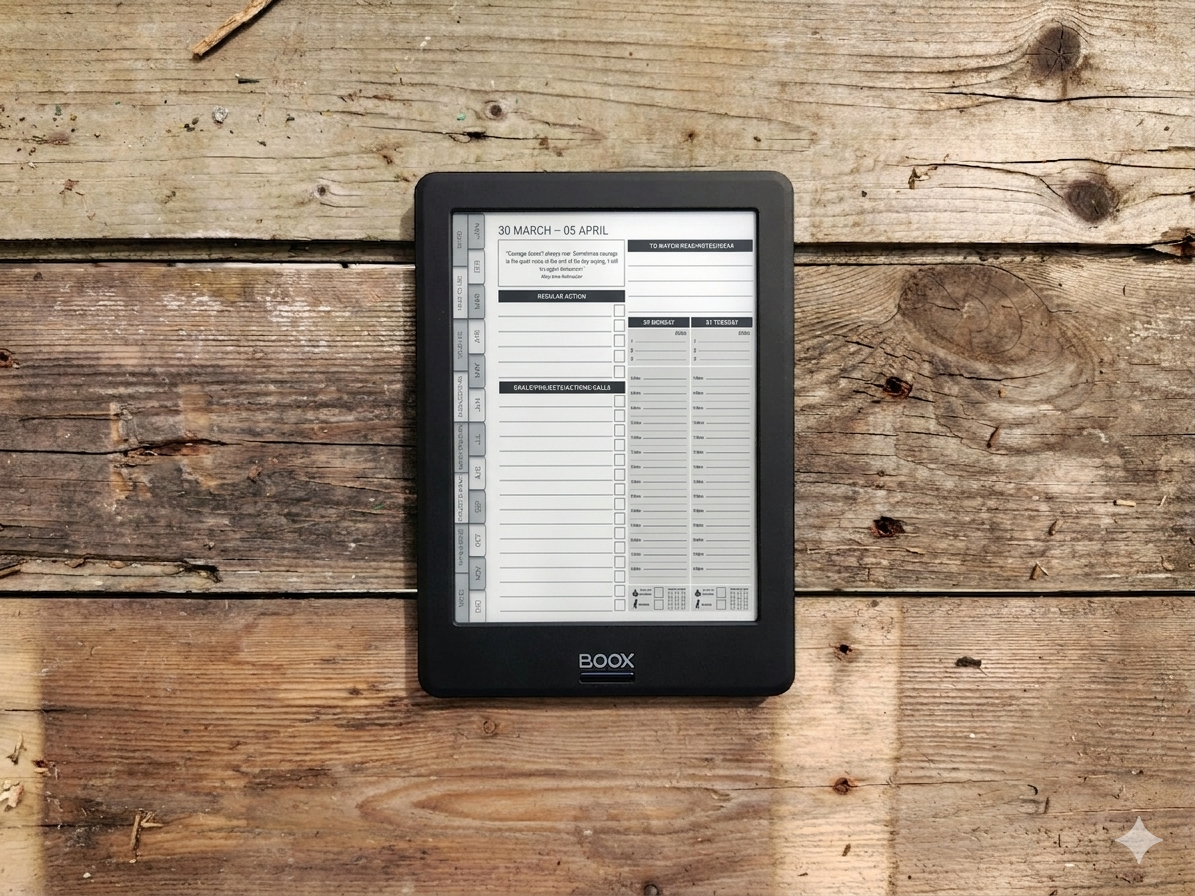
The MY PA Digital Business Planner for Onyx Boox is designed specifically for this — fully hyperlinked, with monthly goal-setting, weekly planning, daily time-blocking, and business planning sections all connected through file tabs.
How to Set Up Your Onyx Boox for Planning
Step 1: Download Your Planner
After purchasing your planner, download the PDF file to your computer or directly to your Onyx Boox device. Most planners come as an instant download, so you’ll have the file within minutes.
Step 2: Transfer to Your Device
You have a few options for getting the planner onto your Onyx Boox:
USB cable — connect your device to your computer and drag the file across
Cloud storage — upload to Google Drive, Dropbox, or OneDrive and download on the device
Email — send the file to yourself and open it on the device
Bluetooth — transfer directly from your phone
USB is usually the fastest and most reliable method. Once the file is on your device, it’ll appear in your document library.
Step 3: Open in the Right App
This is where people often get confused. On Onyx Boox, you have two main options for opening PDFs:
NeoReader — the built-in reader app. This handles hyperlinked PDFs well and supports annotation with the stylus. For most planners, this is the best option.
Notes app — better for freeform writing but doesn’t handle hyperlinks as smoothly. Use this if you want a more blank-canvas approach.
For a structured planner with tabs and hyperlinks, NeoReader is the way to go. Open your planner file, and the tabs should be clickable straight away.
If you need more detail on this process, we’ve written a dedicated guide on how to install a planner on Onyx Boox with screenshots and troubleshooting tips.
Step 4: Configure Your Writing Settings
Before you start planning, take a minute to set up your stylus preferences. In NeoReader, you can adjust:
Pen thickness — thinner for detailed notes, thicker for headings and emphasis
Pen type — ballpoint for a natural feel, pencil for lighter notes
Eraser settings — partial erase vs full stroke erase
Getting these right means your writing feels natural from the start, rather than constantly adjusting mid-session.
A Simple Business Planning System for Onyx Boox
Having the device set up is only half the job. The real value comes from having a system — a consistent way to plan that you follow every week.
Here’s a simple framework that works well on Onyx Boox:
Monthly: Set Your Priorities
At the start of each month, open your monthly planning page and write down:
Your 3 most important goals for the month
The key projects or milestones that support those goals
Any deadlines or commitments you need to plan around
Keep it simple. Three goals maximum. If you try to do everything, you’ll end up doing nothing well.
Weekly: Plan Your Week
Every Sunday evening or Monday morning, open your weekly spread and map out your week:
What are the 3 most important tasks this week?
What meetings or commitments are locked in?
What needs to happen each day to move things forward?
This takes 10–15 minutes and gives your entire week direction. If you want a structured approach to this, our guide on building a weekly planning ritual covers it in detail.
Daily: Focus on Today
Each morning (or the night before), open your daily page and write:
Your top 3 tasks for today
Any time-blocked sessions for deep work
One thing you’re grateful for or one reflection from yesterday
The daily page should take less than 5 minutes to fill in. The point isn’t to plan every minute — it’s to create clarity about what matters today so you’re not drifting through your day reacting to everything.
If you find daily planning helpful, the daily top 3 method is a simple system that pairs perfectly with a planner on Onyx Boox.
Weekly Review: Close the Loop
At the end of each week, spend 10 minutes reviewing:
What did I accomplish this week?
What didn’t get done, and why?
What do I need to carry forward to next week?
This review habit is what turns planning from a to-do list into an actual system. Without it, you’re just writing things down and hoping for the best.
Common Mistakes People Make with Onyx Boox Planning
Using It Like a Notebook, Not a Planner
The biggest mistake is treating your Onyx Boox like a blank notebook — random notes scattered across pages with no structure. A proper hyperlinked planner gives you sections, navigation, and flow. Use it.
Over-Planning
Planning every 15-minute slot of your day defeats the purpose. Keep your daily plan to 3 priorities and a rough time structure. Leave room for the unexpected.
Not Reviewing
Writing plans without reviewing them is just journaling with extra steps. The weekly review is where you actually learn what’s working and adjust. Don’t skip it.
Switching Apps Constantly
Pick one app (NeoReader for hyperlinked planners) and stick with it. Bouncing between Notes, NeoReader, and third-party apps creates confusion and breaks your workflow.
Onyx Boox vs Other E-Ink Devices for Planning
If you’re considering an Onyx Boox specifically for planning, here’s how it compares:
Onyx Boox vs Kindle Scribe: The Kindle Scribe has a great writing feel but is more limited in what apps and file types it supports. Onyx Boox runs Android, giving you far more flexibility with PDF readers, cloud storage, and annotation tools.
Onyx Boox vs reMarkable 2: The reMarkable has arguably the best writing experience of any e-ink device, but it’s more closed as a system. Onyx Boox offers more versatility if you want to use third-party apps alongside your planner.
Onyx Boox vs iPad: An iPad is more powerful but comes with distractions. If you struggle to stay focused when planning on a tablet, an e-ink device removes that problem entirely.
We’ve written a full comparison in our guide on Onyx Boox vs Kindle Scribe vs reMarkable 2 for planning if you want to go deeper on the differences.
Turn Your Onyx Boox into a Business Planning System
An Onyx Boox is more than a reading device. Set it up with the right planner and a consistent weekly rhythm, and it becomes the most focused planning tool you own.
No notifications. No distractions. Just clarity, structure, and a clean space to think about what matters in your business.
If you’re ready to get started, the MY PA Digital Business Planner for Onyx Boox gives you a fully hyperlinked system with monthly goals, weekly planning, daily time-blocking, and business planning sections — all designed specifically for e-ink devices.
And if you’re new to business planning in general, browse our productivity and planning hub for more guides on building a system that works.
Here is. video on how to install your digital planner on Onyx Boox and here is an article How to install your planner on onyx boox
Start your business without guessing
The Business Starter Kit gives you the plan, the pricing, and one place to run it, so you always know what to do next.
- Clear plan, step by step from idea to launch.
- Price for profit, know what to charge and what you will make.
- One Business HQ, run your entire business from one place from day one.
Start free, then choose the next step when you are ready.