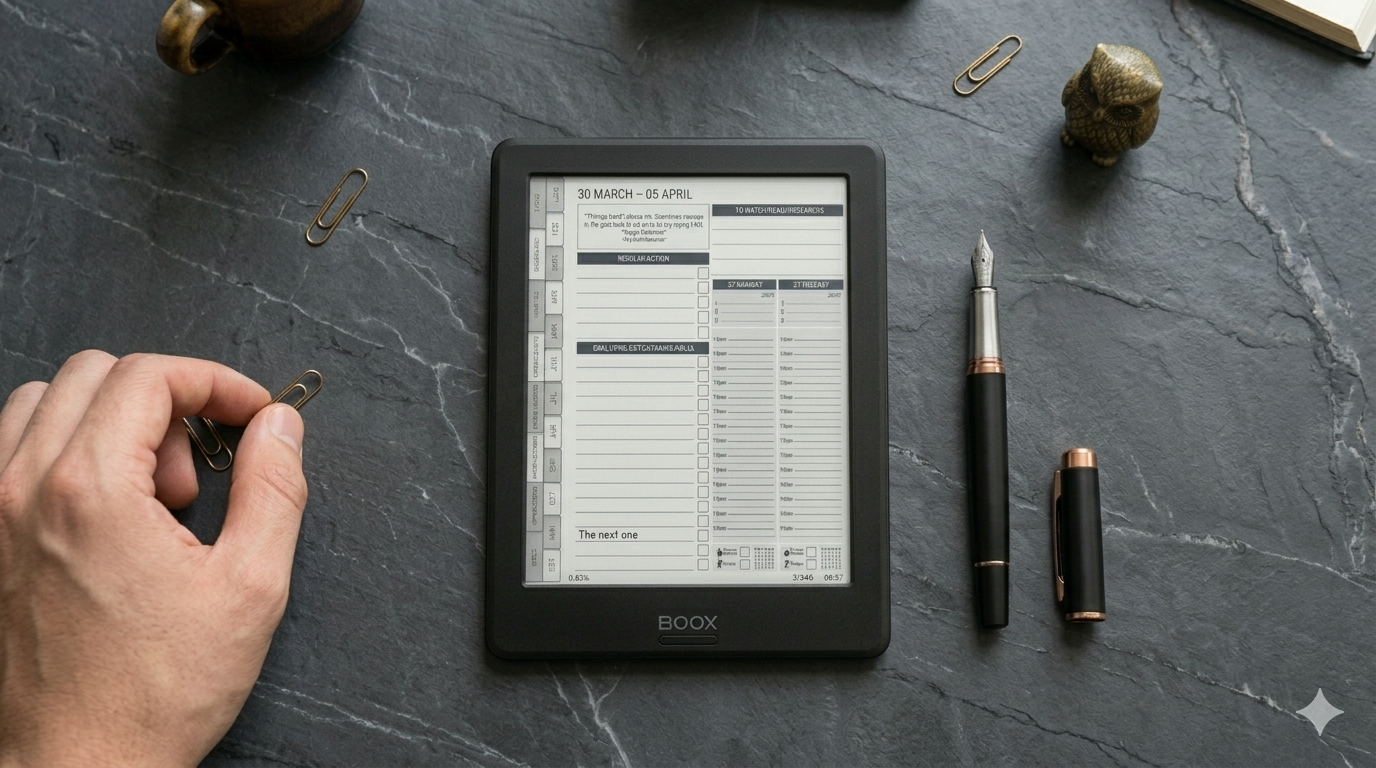
Every Monday morning, before I open my laptop, I pick up my Onyx Boox and spend about 15 minutes planning my week. No apps. No notifications. Just the planner, a stylus, and a clear head.
This is the single habit that keeps my business moving forward. Not a to-do list app. Not a Notion dashboard. A simple weekly planning session on an e-ink screen that forces me to think before I start doing.
Here’s exactly how it works.
Why I Plan on Onyx Boox Instead of My Laptop
I tried planning digitally for years — Notion, Google Calendar, various task apps. They all had the same problem: I’d open my laptop to plan, then get pulled into emails, Slack messages, or a browser tab I’d left open. The planning session would dissolve into reactive work within minutes.
The Onyx Boox fixed this by making distraction physically impossible. There’s nothing on it except my planner. When I pick it up, my brain goes into planning mode. That context switch is worth more than any app feature.
My Monday Morning Routine (15 Minutes)
Step 1: Review Last Week (3 Minutes)
I open my weekly review page from the previous week and quickly scan:
What did I actually accomplish?
What didn’t get done, and why?
Any lessons or patterns I’m noticing?
I’m not writing a journal entry. I’m scanning for signal. Did I spend time on the right things? Did something unexpected derail me? Two minutes of honest reflection saves hours of repeating the same mistakes.
Step 2: Check Monthly Goals (2 Minutes)
I flip to my monthly planning page and check my 3 goals for the month. Are they still the right goals? Am I on track? This keeps the week connected to the bigger picture instead of just reacting to whatever feels urgent.
Step 3: Set This Week’s Priorities (5 Minutes)
On my weekly spread, I write down:
My 3 most important outcomes for this week — not tasks, outcomes
Any fixed commitments (meetings, deadlines, appointments)
The key actions for each day that support those outcomes
The important distinction: I’m not listing everything I could do. I’m choosing what I must do. Three priorities per week. If I finish those, the week was a success regardless of what else happens.
Step 4: Plan Today (5 Minutes)
I open today’s daily page and write:
My top 3 tasks for today
Any time blocks for focused work
One thing I’m looking forward to (keeps it human)
That’s it. The whole process takes 15 minutes and sets the direction for my entire week. If you want more detail on the daily part, the daily top 3 method is the system I follow.
During the Week
Each evening, I spend 2–3 minutes on tomorrow’s daily page. I decide what the top 3 tasks are for the next day so I wake up with clarity. This tiny habit means I never sit down in the morning wondering what to work on.
I don’t plan every hour. I don’t track every task. I keep it simple enough that I actually stick with it, week after week. The best planning system is the one you use consistently, not the most detailed one.
Friday: Weekly Review (10 Minutes)
On Friday afternoon, I open the weekly review section and answer three questions:
What were my 3 biggest wins this week?
What’s one thing I would do differently?
What needs to carry forward to next week?
This closes the loop. Without the review, planning is just a to-do list. With the review, it becomes a system that improves over time.
Our weekly review template gives you a structured format if you want more guidance on this.
Why This System Works on E-Ink
You could do this system on paper, on an iPad, or even in a notebook. But doing it on an Onyx Boox specifically adds three things:
Forced focus — there’s nothing else on the device to distract you
Handwriting benefits — writing by hand engages your brain differently than typing
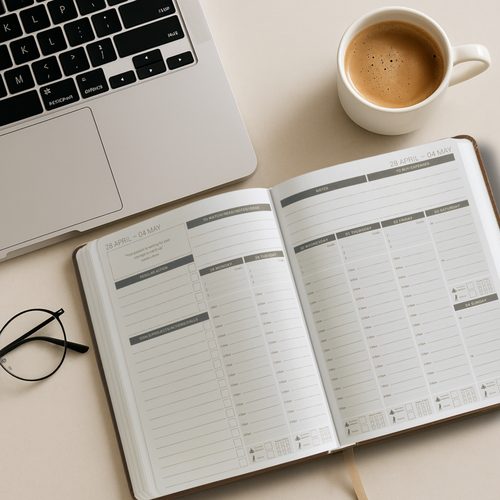
Everything in one place — monthly goals, weekly plans, daily pages, and reviews are all in one hyperlinked planner
The combination of physical writing and digital structure is what makes e-ink planning feel different from both paper and apps. You get the tactile benefits of handwriting with the navigation speed of digital.
The Planner I Use
I use the MY PA Digital Business Planner for Onyx Boox. It’s fully hyperlinked with tabs for monthly goals, weekly spreads, daily pages, project planning, and reviews — all designed for e-ink screens. The structure matches exactly the workflow I’ve described above, which means I don’t have to build a system from scratch.
If you’re setting up your Onyx Boox for the first time, our step-by-step setup guide walks you through everything from transferring the planner to configuring your stylus settings.
Start This Monday
You don’t need a complex productivity system. You need 15 minutes on a Monday morning, a clear planner, and the discipline to do it every week.
That’s it. Everything else is noise.
Start your business without guessing
The Business Starter Kit gives you the plan, the pricing, and one place to run it, so you always know what to do next.
- Clear plan, step by step from idea to launch.
- Price for profit, know what to charge and what you will make.
- One Business HQ, run your entire business from one place from day one.
Start free, then choose the next step when you are ready.