
At last. One place to run your business.
Keep sales moving, projects progressing, and money visible, without wasting hours on admin.
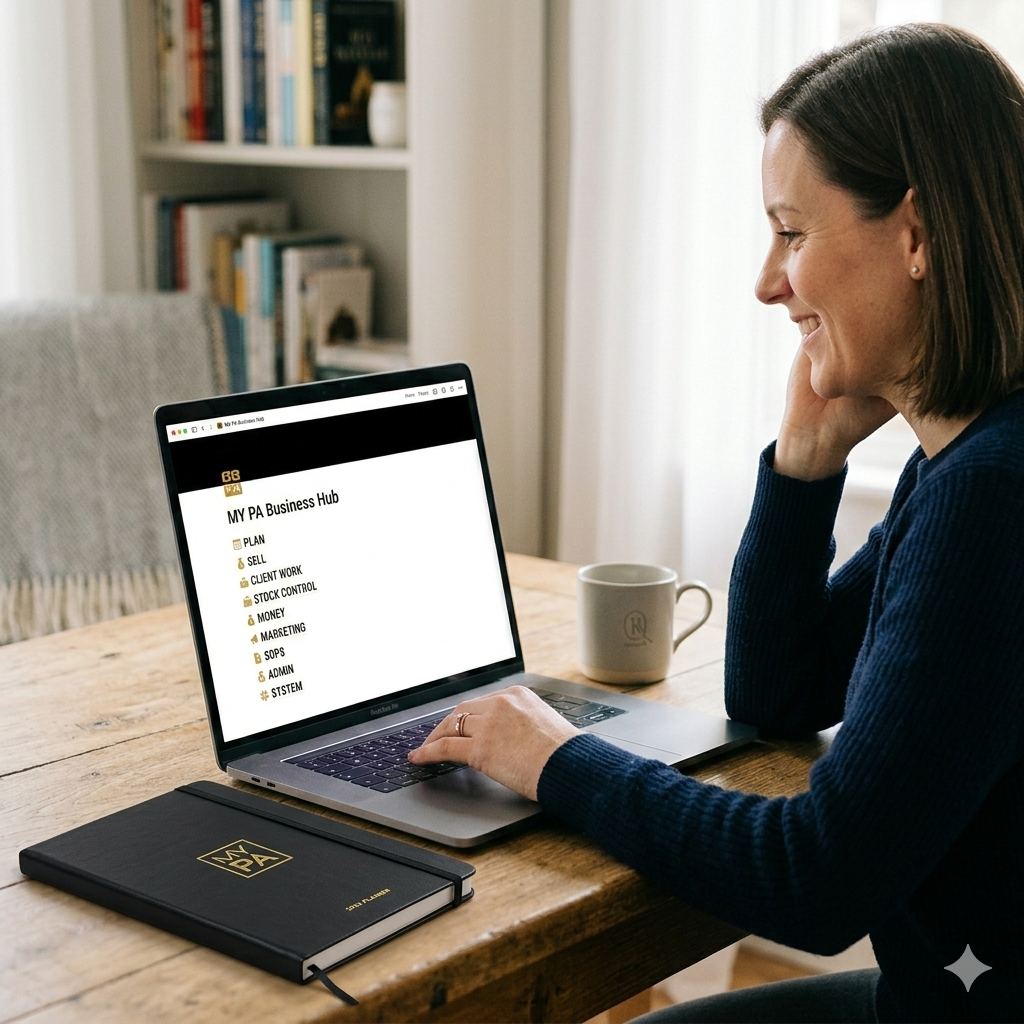

You get to Friday and you've been busy all week.
But revenue and progress still feel inconsistent.
Ideas land, then disappear. Notes apps, screenshots, voice memos, a sticky note from Tuesday.
A lead says follow up next week. You mean to. Then the week happens.
Projects move in bursts, then stall, because the urgent stuff keeps taking the space.
You're running a business across too many places, and nothing is connected.
So you rely on memory. And memory is not a system.
The friction you feel isn’t about effort. It’s about structure. Too many tools, nothing connected. That’s why follow ups get missed, projects stall, and money feels harder to stay on top of. MY PA fixes that.
What if sales, delivery, and money were visible in one place?
Not another subscription. Not a blank workspace you have to build yourself. A complete system, already set up and already connected, ready for your information.
Open the Dashboard and you can see exactly what needs attention today. Projects moving, leads tracked, follow ups surfacing when they should, money visible.
Other tools give you a blank page. MY PA gives you a running engine.
Most Notion templates are a starting point you still have to build. MY PA is a fully connected operating system for your business. Duplicate it, open the Dashboard, and start.
See what matters today.
The Dashboard shows what needs attention across your whole business, follow ups, money, client work, projects, all in one place.
Everything surfaces automatically.
Add things one time. The system brings the right work back to you when it matters, without rebuilding lists.
Pick your top priorities.
Know what to do next, then get it done. Less checking tools, less forgetting, more forward movement.
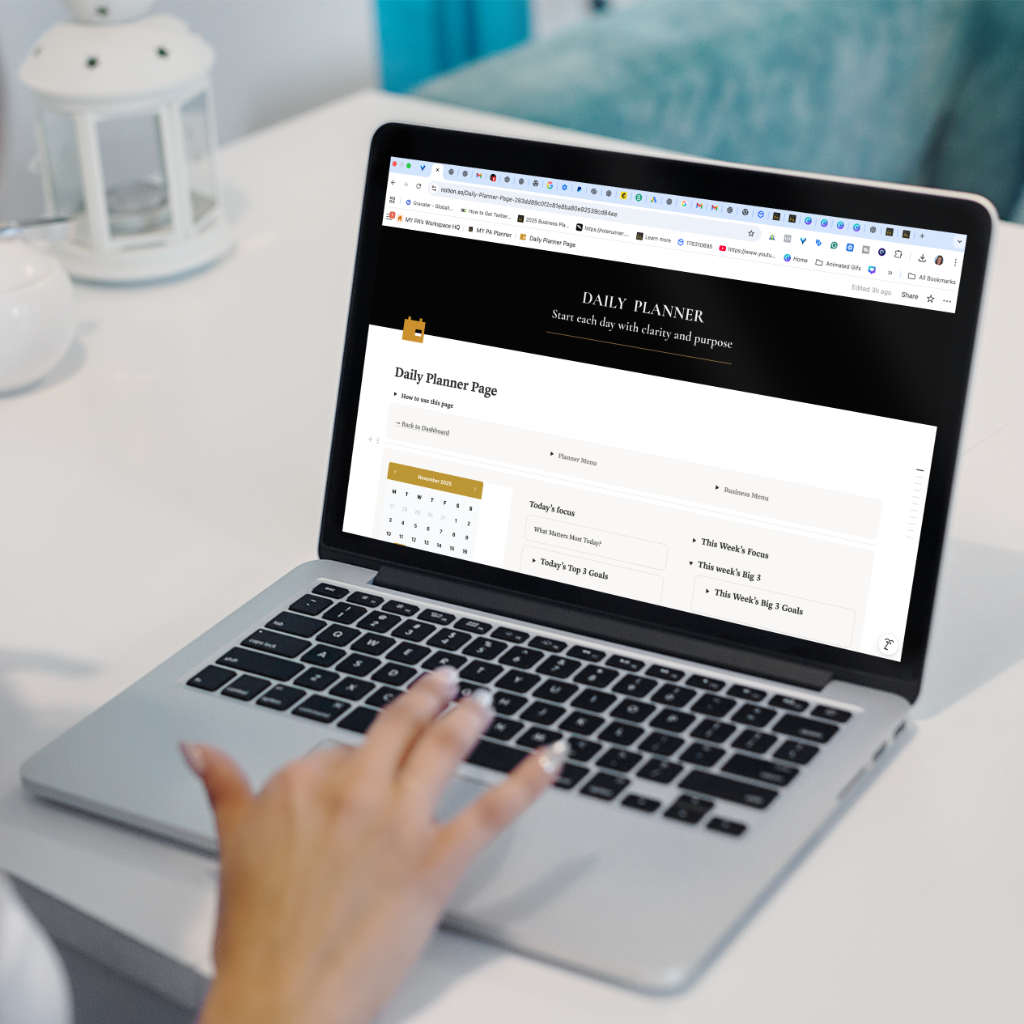
One system. Every part of your business, covered.
Everything is connected. Goals flow into projects, projects drive tasks, tasks surface on your Dashboard when they're due.
🗺️ Yearly & Monthly Planning
Set direction for the year. Choose monthly focus. Decide what moves forward this week. Wake up knowing what matters today.
🤝 Leads & CRM
Know who to follow up with today, and why. Keep opportunities visible so growth is consistent.
💼 Client Work
What you owe, what is due, what is in progress. Delivery stays visible without extra lists.
💰 Money
Track invoices, expenses, and what needs attention. Keep numbers visible, then export or hand off to your accountant.
📣 Marketing & Content
Capture ideas, plan posts, and keep campaigns visible so marketing does not get squeezed out.
📦 Stock Control
For product businesses. Track stock, suppliers, and inventory in the same system.
📋 SOPs & Processes
Store processes where you actually use them, ready to hand off when you bring in help.
🗂️ Documents & Admin
Keep important docs stored and findable, without hunting through emails and folders.
🔁 Recurring Actions
Set them once. They surface when due. The part that stops things falling off the radar.
What you're actually replacing.
Most founders end up paying for separate tools to keep things moving, plus the mental overhead of managing them.
MY PA Business Hub OS brings planning, projects, CRM, money visibility, and content into one connected system, for a one-time fee.
Memory is not a system. And a system you have to build yourself is just another project you'll never finish.
Everything you need to know.
Do I need to know how to use Notion?
Not at all. Everything is already built. Duplicate it into your free Notion account, open the Dashboard, and start. No configuration, no database setup, nothing to figure out.
Is this just a template?
No. A template is a blank starting point you still have to build. MY PA is fully wired and connected, every part talks to every other part. It works from minute one.
Do I need to pay for Notion?
No. A free Notion account is all you need to run the full system. There are no hidden platform costs.
Will it work for my type of business?
If you have leads, projects, clients, money to track, and things that need to stay on your radar, yes. It works for freelancers, service businesses, consultants, and product businesses.
Does it connect to Google Calendar?
Yes. You can connect Google Calendar using Notion Calendar, so your schedule stays visible alongside your Hub. Most founders use this to see meetings and deadlines while planning their day, then link notes and tasks to what’s coming up.
How long does setup take?
About 10 minutes. Set your yearly direction, choose a monthly focus, add a few regular actions and leads, then live on the Dashboard from day one.
One price. Everything included. Forever.
No subscriptions. No monthly fees. Pay once, own it permanently.
Planning, projects, CRM, client work, money visibility, content, admin, SOPs, and stock control, all connected, all built, ready to use from day one.
No subscription
No monthly fees
Duplicate into your Notion in one click and start today. Works on desktop and mobile. Free Notion account is all you need.
At last. One place to plan, run,
and grow your business.
One system. Everything connected. Plan in minutes, follow through weekly, and keep revenue visible.
Download and start today →$129 one-time · Free Notion account · 10-minute setup · No subscription